
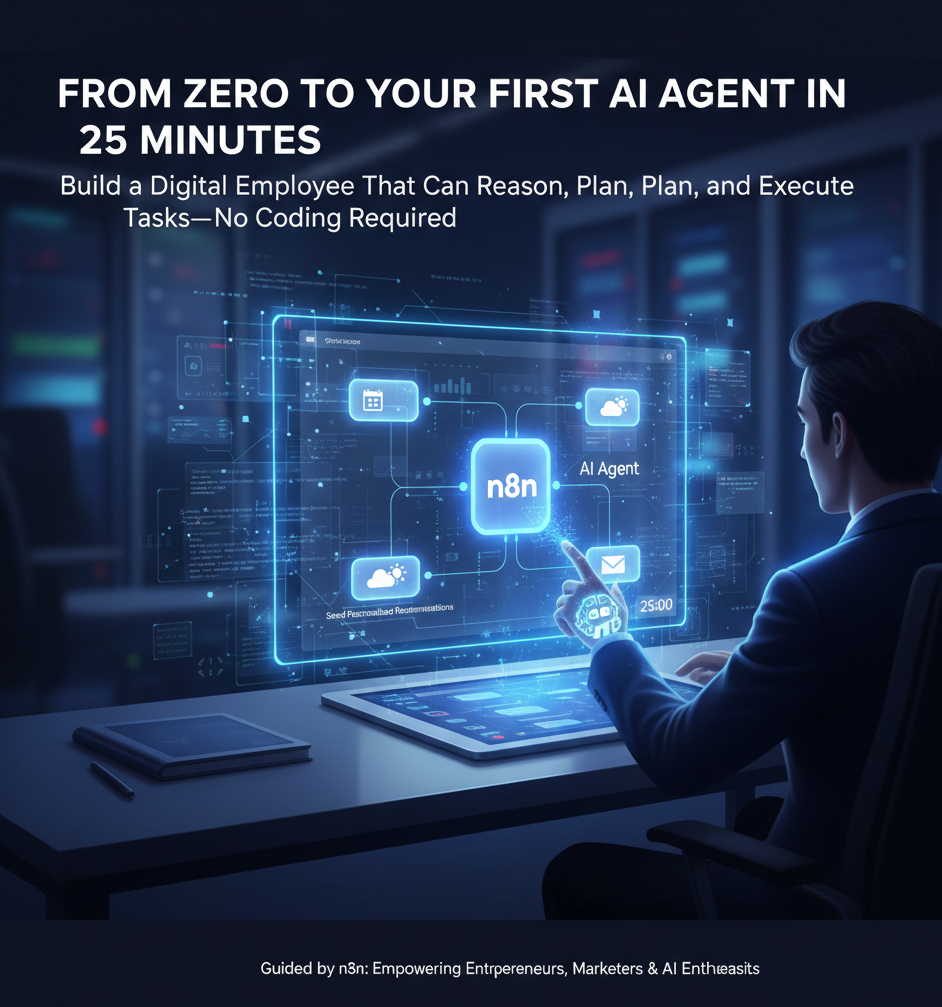
From Zero to Your First AI Agent in 25 Minutes
Build Intelligent Digital Employees Without Writing a Single Line of Code
Imagine having a digital employee that can reason, plan, and execute complex tasks autonomously—all without you needing to know how to code. This isn’t science fiction. With the n8n platform and the right guidance, you can build your first intelligent AI agent in just 25 minutes. Whether you’re an entrepreneur automating your business, a marketer streamlining workflows, or simply curious about AI, this comprehensive guide will take you from absolute zero to deploying a functional agent that can check your calendar, analyze weather data, and send personalized recommendations straight to your inbox.
What Exactly is an AI Agent?
Before diving into the technical implementation, it’s crucial to understand what distinguishes an AI agent from traditional automation. This distinction forms the foundation of everything we’ll build.
📋 Traditional Automation
Follows fixed, predefined rules with no flexibility. If you program it to check the weather and send an email every morning at 7:00 AM, that’s exactly what it does—nothing more, nothing less. It’s like a basic calculator that only performs predetermined operations.
🤖 AI Agent
Acts as a dynamic digital employee capable of reasoning, planning, and adapting independently. It evaluates situations, decides which tools to use, and determines the best course of action based on current context. Think of it as having an intelligent assistant who can problem-solve on the fly.
An AI agent doesn’t simply move from step A to B to C in a rigid sequence. Instead, it uses dynamic flexibility to assess what actions are necessary based on the information it receives. This fundamental capability transforms automation from a simple task executor into an intelligent decision-maker.
The Three Core Components Every Agent Needs
Regardless of complexity, every AI agent—from the simplest personal assistant to advanced robotics systems—requires three essential building blocks. Understanding these components is key to successfully building and troubleshooting your agents.
🧠 The Brain
The Large Language Model serves as the reasoning engine. Models like GPT-4, Claude, or Gemini handle all language generation, planning, and decision-making. This is where your agent’s intelligence lives—its ability to understand context, generate responses, and determine which actions to take.
💾 The Memory
Memory enables your agent to maintain context across interactions. Without memory, your agent forgets everything after each exchange, like talking to someone with instant amnesia. Memory allows it to reference past conversations, pull information from documents, and build upon previous interactions for better decision-making.
🛠️ The Tools
Tools are the interfaces through which your agent interacts with the world. These include capabilities like searching the web, sending emails through Gmail, updating Google Sheets, checking calendars, or querying databases. Tools transform your agent from a thinking entity into one that can actually execute actions.
🎯 Key Insight
The magic happens when these three components work together. The brain uses memory to understand context and tools to take action. This synergy is what transforms a simple chatbot into an autonomous agent capable of complex workflows.
Understanding APIs: The Language of Systems
To connect your agent to external services and data sources, you need a basic understanding of how systems communicate. Don’t worry—we’ll explain this using simple analogies that make technical concepts accessible.
What is an API?
Think of an API (Application Programming Interface) as a vending machine. You provide a specific input by pressing a button, and you receive a specific output—your selected snack. APIs work the same way: you send a request with specific parameters, and the service returns the data or action you requested. It’s a standardized way for different software systems to talk to each other.
HTTP Requests: Pressing the Button
HTTP requests are the actual mechanism of communication—the act of pressing that vending machine button. The two most common types you’ll encounter are:
- GET Requests: Used to retrieve information. When your agent checks the weather or pulls data from a spreadsheet, it’s making GET requests to pull information from external services.
- POST Requests: Used to send information. When your agent adds a row to a Google Sheet or sends an email, it’s making POST requests to transmit data to external services.
💡 Why This Matters
Understanding APIs and HTTP requests unlocks the ability to connect your agent to virtually any service on the internet. Most modern platforms provide API documentation that explains what buttons are available and what responses you’ll receive. With n8n, you can access these APIs visually without needing to understand the underlying code.
Prerequisites: What You’ll Need
⚠️ Before You Begin
Gather the following accounts and resources to ensure a smooth building experience:
- n8n Account: Sign up for the 14-day free trial or install the open-source version locally for completely free usage
- OpenAI API Key: Create an OpenAI developer account and fund it with a small credit balance (around $5). Note this is separate from a ChatGPT Plus subscription
- Google Account: Required for integrating Google Calendar, Google Sheets, and Gmail functionality
- External API Accounts: Register for OpenWeatherMap and AirNow.gov to retrieve weather and air quality data in your agent workflows
Building Your First Agent: Trail Run Assistant
Theory is important, but nothing beats hands-on experience. We’re going to build a practical agent that demonstrates all the core concepts in action. This Trail Run Assistant will automatically analyze your schedule, check local weather and air quality, reference your saved trail preferences, and send personalized recommendations via email.
Setting Up the Foundation
Begin by creating a new workflow in n8n. Think of this as your blank canvas where you’ll visually construct your agent by dragging and dropping nodes—pre-built blocks that represent different functions and services.
Add a Schedule Trigger node and set it to activate at 5:00 AM daily. This ensures your agent runs automatically every morning without manual intervention, preparing your trail recommendation before you wake up.
Connecting the Brain
Add an AI Agent node to serve as your workflow’s central hub. This is where the intelligence lives. Connect it to a Chat Model by selecting OpenAI and pasting your API key into the credentials field.
For this tutorial, GPT-4 Mini provides an excellent balance between cost-effectiveness and capability. It’s powerful enough for complex reasoning while remaining affordable for regular use.
Adding Memory and Context
Connect a Simple Memory node to your AI Agent. Configure the context window to retain approximately five messages worth of conversation history. This allows your agent to reference previous interactions and maintain coherent, context-aware responses throughout its operations.
Integrating Built-in Tools
Now give your agent its “hands” by connecting pre-built tool nodes:
- Google Calendar: Allows your agent to check your schedule for trail run events
- OpenWeatherMap: Provides local weather forecasts for decision-making
- Google Sheets: Accesses your personally curated list of favorite running trails with details like distance, elevation, and location
- Gmail: Enables your agent to compose and send the final recommendation email directly to your inbox
Building a Custom Tool
Not every service has a pre-built n8n node. For services like AirNow.gov (which provides air quality data), you’ll create a custom tool using an HTTP Request node. This is simpler than it sounds:
- Visit the AirNow.gov developer documentation and copy the API endpoint URL
- Paste this URL into your HTTP Request node configuration
- Enable “Optimize Response” in n8n so the agent can easily interpret the JSON data returned by the service
This technique allows your agent to access virtually any public data source on the internet, dramatically expanding its capabilities beyond pre-built integrations.
Crafting the Perfect Prompt
The prompt is where you define your agent’s personality, objectives, and constraints. A well-structured prompt should include:
- Role: Define what your agent is (e.g., “You are a personal trail running assistant”)
- Task: Clearly explain what you want accomplished (e.g., “Analyze my schedule, weather, and air quality to recommend the best trail for today”)
- Input: Specify what information the agent should consider
- Tools: List which connected tools the agent should utilize
- Constraints: Set boundaries to prevent undesired behavior (e.g., “Only recommend trails that match my available time window”)
- Output: Define the expected format and delivery method (e.g., “Send a friendly email with your recommendation and reasoning”)
Testing and Troubleshooting
Execute your workflow to see your agent in action. n8n provides real-time visibility into each node’s execution, allowing you to identify exactly where issues occur if something goes wrong.
If you encounter errors, take a screenshot of the error message and paste it into ChatGPT or Claude, asking for an explanation and solution. AI models excel at debugging other AI systems and can quickly identify configuration issues, missing credentials, or malformed requests.
Pro Tip: Always implement guardrails in your prompts to prevent your agent from taking unauthorized actions or hallucinating information. Specify what the agent should NOT do just as clearly as what it should do. For example, “Never approve refunds without human confirmation” or “Only recommend trails from the provided Google Sheet list.”
Choosing the Right Brain for Your Agent
Different Large Language Models excel at different tasks. Selecting the appropriate brain for your agent’s specific purpose can significantly impact performance and cost efficiency.
🎯 Model Selection Guide
- Claude: Excellent choice for writing-heavy applications, content generation, and tasks requiring nuanced language understanding
- Gemini: Particularly strong at coding tasks, technical problem-solving, and handling structured data
- GPT-4 Mini: Great default for general-purpose agents, offering solid performance across diverse tasks at an affordable price point
- Deep Research Models: Specialized for tasks requiring extensive analysis and long-form responses
- ChatGPT (OpenAI): Handles raw JSON data from API requests effectively, even without optimization, making it reliable for data-heavy workflows
The AI landscape evolves rapidly. Check current LLM leaderboards online to compare models based on your specific requirements before making a final decision.
Single-Agent vs. Multi-Agent Systems
As you become more comfortable building agents, you’ll eventually face the question: should I build one comprehensive agent or multiple specialized agents? Understanding this distinction will help you architect more sophisticated systems.
Single-Agent Approach
A single-agent system consists of one autonomous unit handling all reasoning, planning, and tool usage for a specific set of tasks. This approach is ideal for beginners and situations where one intelligent entity can efficiently manage the entire workflow. The philosophy here is simple: if one agent can do the job well, don’t overcomplicate with multiple agents.
Multi-Agent Systems
Multi-agent systems mirror human organizational structures. Rather than one entity managing everything, responsibilities are distributed among multiple specialized digital employees. A typical multi-agent architecture features a manager or supervisor agent that oversees the project and delegates tasks to specialized sub-agents.
Each agent in this system focuses on a specific niche. For example, one agent might handle all research tasks, another specializes in sales communications, and a third manages customer support inquiries. While built using the same core concepts as single agents, these systems can achieve extreme complexity in fields like robotics or autonomous vehicle systems.
🎓 When to Choose What
Start with a single-agent setup. Only graduate to multi-agent systems when you have a clear use case that genuinely requires specialization and delegation. Unnecessary complexity adds maintenance overhead without corresponding benefits.
Best Practices and Security Guardrails
Building agents that work is only half the challenge. Building agents that work reliably and safely in production environments requires implementing proper guardrails and following established best practices.
Preventing Hallucinations and Errors
AI models can sometimes generate plausible-sounding but incorrect information—a phenomenon known as hallucination. Protect against this by constraining your agent’s behavior through explicit prompting, validating outputs against known data sources, and implementing verification steps before critical actions.
Avoiding Infinite Loops
Without proper constraints, agents can sometimes get stuck in repetitive loops, repeatedly checking the same data or attempting the same failed action. Set maximum iteration limits, implement timeout mechanisms, and design your workflows to have clear termination conditions.
Authorization and Permissions
Never allow your agent to perform sensitive actions without appropriate safeguards. Actions like processing refunds, deleting data, or sending communications to customers should require explicit confirmation steps or human approval workflows. Your prompt should clearly define which actions require authorization and which can be executed autonomously.
🔒 Security Principle
Always apply the principle of least privilege: give your agent only the minimum permissions necessary to accomplish its tasks. If an agent doesn’t need write access to a database, provide read-only credentials. If it doesn’t need to delete files, don’t grant deletion permissions.
Real-World Applications Beyond Trail Running
The Trail Run Assistant demonstrates core concepts, but the same architectural principles apply to countless business and personal automation scenarios. Consider these practical applications:
📧 Email Management
Build agents that categorize incoming emails, draft responses to common inquiries, flag urgent messages, and maintain organized archives—acting as your intelligent inbox assistant.
📊 Data Analysis
Create agents that monitor business metrics, generate weekly reports, identify trends in sales data, and alert you to anomalies requiring attention.
🛒 E-commerce Support
Deploy agents that answer customer questions, check order statuses, recommend products based on browsing history, and escalate complex issues to human support staff.
📅 Meeting Coordination
Develop agents that find optimal meeting times across participants, send calendar invites, prepare meeting agendas based on project status, and follow up with action items.
💼 Content Creation
Build agents that research topics, draft blog posts, optimize content for SEO, schedule social media posts, and analyze engagement metrics to inform future content strategy.
🔍 Research Assistant
Create agents that gather information from multiple sources, summarize findings, identify relevant studies, and compile comprehensive reports on specific topics.
Scaling Your Agent Practice
Once you’ve built your first successful agent, the natural progression involves expanding both the sophistication of individual agents and the breadth of tasks you’re automating. Here’s how to systematically scale your agent development practice:
Start Simple, Then Iterate
Begin with straightforward workflows that accomplish single, well-defined tasks. As these agents prove reliable, gradually add complexity through additional tools, more sophisticated decision logic, and integration with more services. Incremental enhancement prevents overwhelming debugging sessions and helps you understand what works.
Build a Library of Reusable Components
As you create more agents, you’ll notice patterns—certain combinations of nodes, prompt structures, or tool configurations that work well. Save these as templates or reusable sub-workflows that can be quickly adapted for new projects. This dramatically reduces the time required to deploy new agents.
Monitor and Optimize
Track your agents’ performance over time. Which ones run most frequently? Where do errors typically occur? Which model choices provide the best balance of quality and cost? Use these insights to continuously refine your implementations and make data-driven decisions about where to invest optimization effort.
🎯 Key Takeaways
- AI agents are dynamic digital employees that reason, plan, and adapt—fundamentally different from static automation
- Every agent requires three core components: a brain (LLM), memory (context retention), and tools (interfaces for action)
- APIs enable your agents to connect with virtually any service on the internet through standardized communication protocols
- n8n provides a visual, no-code platform for building sophisticated agents by connecting pre-built nodes
- Start with single-agent systems and only graduate to multi-agent architectures when genuine specialization is required
- Different LLMs excel at different tasks—choose Claude for writing, Gemini for coding, and GPT-4 Mini for general purposes
- Custom tools using HTTP Request nodes unlock access to any service with public APIs, not just pre-built integrations
- Proper prompting structure includes defining role, task, input, tools, constraints, and expected output
- Always implement guardrails to prevent hallucinations, infinite loops, and unauthorized actions
- Background tasks in n8n enable automatic debugging by giving agents direct access to server logs
- Security requires applying least-privilege principles—grant only the minimum permissions necessary
- The Trail Run Assistant project demonstrates all core concepts in a practical, real-world application
Next Steps and Continued Learning
Building your first agent is an achievement worth celebrating, but it’s just the beginning of your journey into AI-powered automation. Here are recommended paths for continuing your education:
- Join the n8n community forums to see what others are building and get help troubleshooting complex workflows
- Explore the n8n template library for inspiration and pre-built workflows you can adapt to your needs
- Experiment with different LLMs to understand their unique strengths and develop intuition for model selection
- Study API documentation for services you use frequently to identify automation opportunities
- Challenge yourself to build increasingly complex agents that combine multiple services and decision points
- Document your successful workflows and share them with others to solidify your understanding
Final Pro Tip: The most successful agent builders aren’t necessarily the most technically skilled—they’re the ones who clearly identify which repetitive tasks genuinely benefit from automation. Before building, ask yourself: “Is this task repetitive enough to justify automation?” and “Will automating this save meaningful time or improve quality?” Let these questions guide where you invest your agent-building efforts.