


Advanced Python Core Concepts and Applications in AI : A Comprehensive Guide for AI Engineers

Table of Contents
- Introduction to Python in AI
- Python Fundamentals for AI
- Advanced Python Core Concepts
- Object-Oriented Programming in Python
- NumPy: Numerical Computing Foundation
- Pandas: Data Manipulation and Analysis
- Matplotlib: Data Visualization
- PyTorch: Deep Learning Framework
- Python Design Patterns in AI
- Best Practices and Industry Standards
1. Introduction to Python in AI
1.1 Why Python Dominates AI/ML/DL
Python has become the de facto language for artificial intelligence, machine learning, and data science for several compelling reasons:
Simplicity and Readability: Python’s syntax resembles natural language, making it accessible to researchers who can focus on algorithms rather than language complexity. This allows rapid prototyping and experimentation, which is crucial in research environments.
Rich Ecosystem: The Python Package Index (PyPI) hosts over 400,000 packages, with specialized libraries for every aspect of AI development. This ecosystem means you rarely need to build from scratch.
Community and Industry Support: Major tech companies (Google, Facebook, Microsoft, OpenAI) have invested heavily in Python-based AI tools. TensorFlow, PyTorch, scikit-learn, and Hugging Face Transformers are all Python-first.
Interoperability: Python seamlessly integrates with C/C++ for performance-critical operations, allowing high-level ease with low-level speed when needed.
1.2 The AI Development Workflow
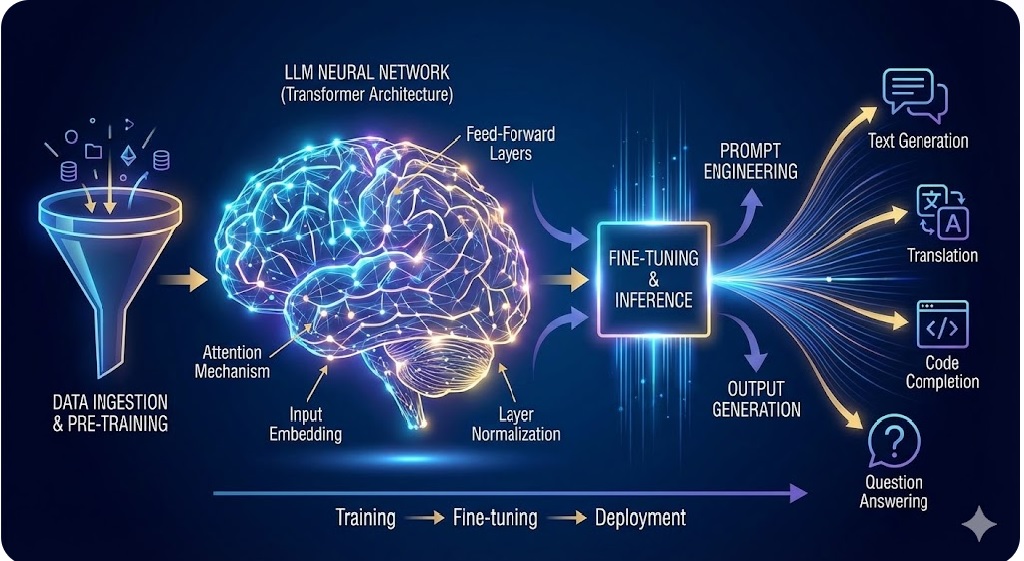
Understanding the typical AI development pipeline helps contextualize where Python fits:
Data Collection → Data Preprocessing → Feature Engineering →
Model Selection → Training → Evaluation → Deployment → Monitoring
Python excels at each stage:
- Data Collection: Web scraping (BeautifulSoup, Scrapy), API integration (requests)
- Preprocessing: Pandas for cleaning, NumPy for numerical operations
- Feature Engineering: Scikit-learn pipelines, custom transformations
- Model Development: PyTorch, TensorFlow, scikit-learn
- Deployment: Flask, FastAPI, Docker integration
- Monitoring: MLflow, Weights & Biases
1.3 Setting Up Your Environment
Professional AI development requires a properly configured environment:
# Using conda for environment management
conda create -n ai_env python=3.10
conda activate ai_env
# Install core packages
pip install numpy pandas matplotlib seaborn
pip install scikit-learn torch torchvision
pip install jupyter notebook ipython
# For GPU support (CUDA-enabled machines)
pip install torch torchvision torchaudio –index-url https://download.pytorch.org/whl/cu118
Best Practice: Always use virtual environments to isolate project dependencies and maintain reproducibility.
2. Python Fundamentals for AI
2.1 Data Types and Structures
Python’s built-in data structures are the foundation for more complex AI operations.
2.1.1 Lists: Dynamic Arrays
Lists are mutable, ordered collections that form the basis of many data processing operations.
# Creating and manipulating lists
features = [1.2, 3.4, 5.6, 7.8]
labels = [‘cat’, ‘dog’, ‘bird’]
# List comprehensions – efficient and Pythonic
squared = [x**2 for x in range(10)]
filtered = [x for x in features if x > 3.0]
# Nested list comprehensions for matrix operations
matrix = [[i*j for j in range(5)] for i in range(5)]
AI Application: Lists are used for batch processing, storing training samples, and collecting predictions.
2.1.2 Dictionaries: Key-Value Mappings
Dictionaries provide O(1) average-case lookup, essential for caching and configuration management.
# Model configuration dictionary
model_config = {
‘learning_rate’: 0.001,
‘batch_size’: 32,
‘epochs’: 100,
‘optimizer’: ‘adam’,
‘layers’: [128, 64, 32]
}
# Dictionary comprehensions
squared_dict = {x: x**2 for x in range(10)}
# Nested dictionaries for experiment tracking
experiments = {
‘exp_001’: {
‘accuracy’: 0.95,
‘loss’: 0.05,
‘hyperparams’: model_config
}
}
AI Application: Hyperparameter storage, model checkpoints, JSON API responses.
2.1.3 Tuples and Sets
# Tuples: Immutable sequences (useful for constants)
image_shape = (224, 224, 3) # Height, Width, Channels
train_test_split = (0.8, 0.2)
# Sets: Unique elements (useful for vocabulary)
vocab = set([‘hello’, ‘world’, ‘ai’, ‘machine’, ‘learning’])
unique_labels = set(labels)
2.2 Functions and Lambda Expressions
Functions are the building blocks of modular, reusable code.
2.2.1 Function Definitions
def preprocess_image(image, target_size=(224, 224)):
“””
Preprocess an image for model input.
Args:
image: Input image array
target_size: Tuple of (height, width)
Returns:
Preprocessed image array
“””
# Resize, normalize, etc.
return processed_image
# Type hints for better code documentation
def calculate_accuracy(predictions: list, targets: list) -> float:
correct = sum(p == t for p, t in zip(predictions, targets))
return correct / len(targets)
2.2.2 Lambda Functions
Lambda functions are anonymous functions useful for simple operations.
# Sorting by custom key
students = [(‘Alice’, 85), (‘Bob’, 92), (‘Charlie’, 78)]
sorted_students = sorted(students, key=lambda x: x[1], reverse=True)
# Map, filter, reduce patterns
data = [1, 2, 3, 4, 5]
normalized = list(map(lambda x: x / max(data), data))
even_only = list(filter(lambda x: x % 2 == 0, data))
AI Application: Custom loss functions, data transformations, callback functions.
2.3 Control Flow and Iteration
2.3.1 Advanced Iteration Patterns
# Enumerate for index tracking
for idx, value in enumerate(training_data):
print(f”Processing sample {idx}: {value}”)
# Zip for parallel iteration
features = [1, 2, 3]
labels = [‘a’, ‘b’, ‘c’]
for feat, label in zip(features, labels):
print(f”Feature: {feat}, Label: {label}”)
# Itertools for advanced iteration
from itertools import combinations, product
# Generate all pairs for similarity computation
pairs = list(combinations(items, 2))
# Grid search parameter combinations
param_grid = {
‘lr’: [0.001, 0.01],
‘batch_size’: [16, 32]
}
configs = [dict(zip(param_grid.keys(), v))
for v in product(*param_grid.values())]
2.4 File I/O and Data Loading
import json
import pickle
# JSON for configuration files
with open(‘config.json’, ‘r’) as f:
config = json.load(f)
# Pickle for Python objects
with open(‘model.pkl’, ‘wb’) as f:
pickle.dump(trained_model, f)
# Reading large files efficiently
def read_large_file(filepath):
with open(filepath, ‘r’) as f:
for line in f: # Memory-efficient line-by-line
yield line.strip()
# Context managers for resource management
class DataLoader:
def __enter__(self):
self.data = load_data()
return self
def __exit__(self, exc_type, exc_val, exc_tb):
self.cleanup()
3. Advanced Python Core Concepts
3.1 Decorators: Metaprogramming for AI
Decorators modify function behavior without changing their code, essential for logging, timing, and caching.
3.1.1 Basic Decorators
import time
from functools import wraps
def timer(func):
“””Measure execution time of a function.”””
@wraps(func)
def wrapper(*args, **kwargs):
start = time.time()
result = func(*args, **kwargs)
end = time.time()
print(f”{func.__name__} took {end – start:.4f} seconds”)
return result
return wrapper
@timer
def train_model(epochs):
# Training logic
time.sleep(2) # Simulating training
return “Model trained”
# Usage
train_model(100)
3.1.2 Parameterized Decorators
def repeat(times):
“””Repeat function execution.”””
def decorator(func):
@wraps(func)
def wrapper(*args, **kwargs):
results = []
for _ in range(times):
results.append(func(*args, **kwargs))
return results
return wrapper
return decorator
@repeat(times=3)
def train_with_different_seeds():
# Train with random initialization
return accuracy
# Caching for expensive computations
from functools import lru_cache
@lru_cache(maxsize=128)
def compute_similarity(vec1, vec2):
“””Cached similarity computation.”””
return cosine_similarity(vec1, vec2)
AI Application: Performance monitoring, experiment tracking, memoization of expensive operations.
3.2 Generators and Iterators
Generators provide memory-efficient iteration, crucial for processing large datasets.
3.2.1 Generator Functions
def data_generator(filepath, batch_size=32):
“””
Generate batches of data from a file.
Memory-efficient for large datasets.
“””
batch = []
with open(filepath, ‘r’) as f:
for line in f:
batch.append(process_line(line))
if len(batch) == batch_size:
yield batch
batch = []
if batch: # Yield remaining data
yield batch
# Usage in training loop
for batch in data_generator(‘train.txt’, batch_size=32):
loss = model.train_step(batch)
3.2.2 Generator Expressions
# Memory-efficient data processing
sum_of_squares = sum(x**2 for x in range(1000000))
# Instead of creating entire list
# sum_of_squares = sum([x**2 for x in range(1000000)])
# Custom iterator class
class DataIterator:
def __init__(self, data):
self.data = data
self.index = 0
def __iter__(self):
return self
def __next__(self):
if self.index >= len(self.data):
raise StopIteration
value = self.data[self.index]
self.index += 1
return value
3.3 Context Managers
Context managers ensure proper resource management, critical for GPU memory and file handles.
from contextlib import contextmanager
@contextmanager
def gpu_memory_manager():
“””Manage GPU memory allocation.”””
print(“Allocating GPU memory”)
try:
yield
finally:
print(“Clearing GPU cache”)
torch.cuda.empty_cache()
# Usage
with gpu_memory_manager():
output = model(input_data)
# Class-based context manager
class ModelCheckpoint:
def __init__(self, filepath):
self.filepath = filepath
def __enter__(self):
self.model_state = load_checkpoint(self.filepath)
return self.model_state
def __exit__(self, exc_type, exc_val, exc_tb):
if exc_type is None:
save_checkpoint(self.model_state, self.filepath)
3.4 List, Dict, and Set Comprehensions
Comprehensions provide concise, readable ways to create collections.
# List comprehension with conditionals
normalized_data = [
(x – mean) / std
for x in data
if x is not None
]
# Dictionary comprehension for mapping
label_to_idx = {
label: idx
for idx, label in enumerate(unique_labels)
}
# Set comprehension for unique filtering
unique_tokens = {
token.lower()
for sentence in corpus
for token in sentence.split()
}
# Nested comprehensions for matrix operations
transposed = [
[row[i] for row in matrix]
for i in range(len(matrix[0]))
]
3.5 Exception Handling
Robust exception handling prevents training interruptions and data loss.
class ModelTrainingError(Exception):
“””Custom exception for training failures.”””
pass
def train_model_with_recovery(model, data, epochs):
“””Train with automatic recovery from failures.”””
checkpoint_path = ‘checkpoint.pth’
try:
# Attempt to load checkpoint
if os.path.exists(checkpoint_path):
model.load_state_dict(torch.load(checkpoint_path))
print(“Resumed from checkpoint”)
for epoch in range(epochs):
try:
loss = train_epoch(model, data)
# Save checkpoint every 10 epochs
if epoch % 10 == 0:
torch.save(model.state_dict(), checkpoint_path)
except RuntimeError as e:
if “out of memory” in str(e):
print(“GPU OOM, reducing batch size”)
torch.cuda.empty_cache()
# Retry with smaller batch
else:
raise
except KeyboardInterrupt:
print(“Training interrupted, saving checkpoint”)
torch.save(model.state_dict(), checkpoint_path)
except Exception as e:
print(f”Unexpected error: {e}”)
raise ModelTrainingError(“Training failed”) from e
finally:
# Cleanup resources
torch.cuda.empty_cache()
4. Object-Oriented Programming in Python
4.1 Classes and Objects
OOP organizes code into reusable, modular components, essential for building complex AI systems.
4.1.1 Basic Class Structure
class NeuralNetwork:
“””Base class for neural network models.”””
def __init__(self, input_dim, hidden_dim, output_dim):
“””
Initialize network architecture.
Args:
input_dim: Input feature dimension
hidden_dim: Hidden layer dimension
output_dim: Output dimension (number of classes)
“””
self.input_dim = input_dim
self.hidden_dim = hidden_dim
self.output_dim = output_dim
self.weights = self._initialize_weights()
self.training_history = []
def _initialize_weights(self):
“””Private method for weight initialization.”””
# Xavier initialization
import numpy as np
return {
‘W1’: np.random.randn(self.input_dim, self.hidden_dim) * np.sqrt(2.0 / self.input_dim),
‘W2’: np.random.randn(self.hidden_dim, self.output_dim) * np.sqrt(2.0 / self.hidden_dim)
}
def forward(self, x):
“””Forward pass through the network.”””
raise NotImplementedError(“Subclasses must implement forward()”)
def train(self, x, y, epochs=100):
“””Training loop.”””
for epoch in range(epochs):
predictions = self.forward(x)
loss = self._compute_loss(predictions, y)
self.training_history.append(loss)
self._backpropagate(loss)
def __repr__(self):
“””String representation for debugging.”””
return f”NeuralNetwork(input={self.input_dim}, hidden={self.hidden_dim}, output={self.output_dim})”
4.1.2 Properties and Methods
class DataProcessor:
def __init__(self, data):
self._data = data
self._is_normalized = False
@property
def data(self):
“””Getter for data.”””
return self._data
@data.setter
def data(self, value):
“””Setter with validation.”””
if not isinstance(value, (list, np.ndarray)):
raise TypeError(“Data must be list or array”)
self._data = value
self._is_normalized = False
@property
def is_normalized(self):
“””Check if data is normalized.”””
return self._is_normalized
def normalize(self):
“””Normalize data to [0, 1] range.”””
min_val = min(self._data)
max_val = max(self._data)
self._data = [(x – min_val) / (max_val – min_val) for x in self._data]
self._is_normalized = True
return self
@staticmethod
def compute_mean(data):
“””Static method for mean calculation.”””
return sum(data) / len(data)
@classmethod
def from_file(cls, filepath):
“””Alternative constructor.”””
with open(filepath, ‘r’) as f:
data = [float(line.strip()) for line in f]
return cls(data)
4.2 Inheritance and Polymorphism
Inheritance enables code reuse and creates hierarchical relationships between classes.
class Model:
“””Base class for all models.”””
def __init__(self, name):
self.name = name
self.is_trained = False
def train(self, data):
raise NotImplementedError
def predict(self, x):
raise NotImplementedError
def save(self, filepath):
“””Common save functionality.”””
import pickle
with open(filepath, ‘wb’) as f:
pickle.dump(self, f)
class LinearRegression(Model):
“””Linear regression implementation.”””
def __init__(self, name=”LinearRegression”):
super().__init__(name)
self.weights = None
self.bias = None
def train(self, X, y):
“””Train using closed-form solution.”””
X_with_bias = np.c_[np.ones(len(X)), X]
theta = np.linalg.inv(X_with_bias.T @ X_with_bias) @ X_with_bias.T @ y
self.bias = theta[0]
self.weights = theta[1:]
self.is_trained = True
def predict(self, X):
“””Make predictions.”””
if not self.is_trained:
raise ValueError(“Model must be trained first”)
return X @ self.weights + self.bias
class LogisticRegression(Model):
“””Logistic regression implementation.”””
def __init__(self, name=”LogisticRegression”, learning_rate=0.01):
super().__init__(name)
self.learning_rate = learning_rate
self.weights = None
def _sigmoid(self, z):
“””Sigmoid activation.”””
return 1 / (1 + np.exp(-z))
def train(self, X, y, epochs=1000):
“””Train using gradient descent.”””
n_samples, n_features = X.shape
self.weights = np.zeros(n_features)
for _ in range(epochs):
linear_pred = X @ self.weights
predictions = self._sigmoid(linear_pred)
gradient = (1/n_samples) * X.T @ (predictions – y)
self.weights -= self.learning_rate * gradient
self.is_trained = True
def predict(self, X):
“””Make binary predictions.”””
if not self.is_trained:
raise ValueError(“Model must be trained first”)
return (self._sigmoid(X @ self.weights) >= 0.5).astype(int)
# Polymorphism in action
models = [LinearRegression(), LogisticRegression()]
for model in models:
model.train(X_train, y_train)
predictions = model.predict(X_test)
print(f”{model.name}: Accuracy = {compute_accuracy(predictions, y_test)}”)
4.3 Multiple Inheritance and Mixins
Mixins provide reusable functionality across different class hierarchies.
class LoggingMixin:
“””Mixin for adding logging capabilities.”””
def log(self, message):
print(f”[{self.__class__.__name__}] {message}”)
def log_training_step(self, epoch, loss):
self.log(f”Epoch {epoch}: Loss = {loss:.4f}”)
class VisualizationMixin:
“””Mixin for visualization capabilities.”””
def plot_training_history(self):
import matplotlib.pyplot as plt
plt.plot(self.training_history)
plt.xlabel(‘Epoch’)
plt.ylabel(‘Loss’)
plt.title(f’Training History – {self.name}’)
plt.show()
class AdvancedNeuralNetwork(NeuralNetwork, LoggingMixin, VisualizationMixin):
“””Neural network with logging and visualization.”””
def train(self, x, y, epochs=100):
“””Enhanced training with logging.”””
self.log(f”Starting training for {epochs} epochs”)
for epoch in range(epochs):
predictions = self.forward(x)
loss = self._compute_loss(predictions, y)
self.training_history.append(loss)
self._backpropagate(loss)
if epoch % 10 == 0:
self.log_training_step(epoch, loss)
self.log(“Training completed”)
return self
# Usage
model = AdvancedNeuralNetwork(784, 128, 10)
model.train(X_train, y_train, epochs=100)
model.plot_training_history()
4.4 Abstract Base Classes
ABCs define interfaces that subclasses must implement.
from abc import ABC, abstractmethod
class Optimizer(ABC):
“””Abstract base class for optimizers.”””
def __init__(self, learning_rate):
self.learning_rate = learning_rate
@abstractmethod
def step(self, gradients):
“””Update parameters using gradients.”””
pass
@abstractmethod
def zero_grad(self):
“””Reset gradients.”””
pass
class SGD(Optimizer):
“””Stochastic Gradient Descent.”””
def __init__(self, learning_rate, momentum=0.0):
super().__init__(learning_rate)
self.momentum = momentum
self.velocity = None
def step(self, gradients):
if self.velocity is None:
self.velocity = gradients
else:
self.velocity = self.momentum * self.velocity + gradients
return self.learning_rate * self.velocity
def zero_grad(self):
self.velocity = None
class Adam(Optimizer):
“””Adam optimizer.”””
def __init__(self, learning_rate, beta1=0.9, beta2=0.999, epsilon=1e-8):
super().__init__(learning_rate)
self.beta1 = beta1
self.beta2 = beta2
self.epsilon = epsilon
self.m = None # First moment
self.v = None # Second moment
self.t = 0 # Timestep
def step(self, gradients):
self.t += 1
if self.m is None:
self.m = gradients
self.v = gradients ** 2
else:
self.m = self.beta1 * self.m + (1 – self.beta1) * gradients
self.v = self.beta2 * self.v + (1 – self.beta2) * (gradients ** 2)
m_hat = self.m / (1 – self.beta1 ** self.t)
v_hat = self.v / (1 – self.beta2 ** self.t)
return self.learning_rate * m_hat / (np.sqrt(v_hat) + self.epsilon)
def zero_grad(self):
self.m = None
self.v = None
self.t = 0
4.5 Special Methods (Magic Methods)
Special methods enable custom behavior for built-in operations.
class Dataset:
“””Custom dataset class with special methods.”””
def __init__(self, features, labels):
self.features = features
self.labels = labels
def __len__(self):
“””Enable len(dataset).”””
return len(self.features)
def __getitem__(self, idx):
“””Enable dataset[idx] and slicing.”””
if isinstance(idx, slice):
return Dataset(self.features[idx], self.labels[idx])
return self.features[idx], self.labels[idx]
def __iter__(self):
“””Enable iteration.”””
for i in range(len(self)):
yield self[i]
def __add__(self, other):
“””Enable dataset concatenation with +.”””
return Dataset(
self.features + other.features,
self.labels + other.labels
)
def __repr__(self):
“””String representation.”””
return f”Dataset(n_samples={len(self)})”
def __eq__(self, other):
“””Enable equality comparison.”””
return (self.features == other.features and
self.labels == other.labels)
# Usage
dataset = Dataset([1, 2, 3], [‘a’, ‘b’, ‘c’])
print(len(dataset)) # 3
print(dataset[0]) # (1, ‘a’)
subset = dataset[0:2]
for x, y in dataset:
print(x, y)
5. NumPy: Numerical Computing Foundation
NumPy is the cornerstone of numerical computing in Python, providing efficient array operations essential for AI.
5.1 Array Creation and Manipulation
import numpy as np
# Creating arrays
a = np.array([1, 2, 3, 4, 5])
matrix = np.array([[1, 2, 3], [4, 5, 6]])
# Special array creation functions
zeros = np.zeros((3, 4)) # 3×4 array of zeros
ones = np.ones((2, 3, 4)) # 2x3x4 array of ones
identity = np.eye(5) # 5×5 identity matrix
random_array = np.random.randn(3, 4) # Gaussian random values
uniform = np.random.uniform(0, 1, (3, 4)) # Uniform [0,1)
arange = np.arange(0, 10, 0.5) # Array from 0 to 10, step 0.5
linspace = np.linspace(0, 1, 100) # 100 points between 0 and 1
# Array attributes
print(matrix.shape) # (2, 3)
print(matrix.dtype) # int64 or int32
print(matrix.ndim) # 2 (dimensions)
print(matrix.size) # 6 (total elements)
5.2 Array Indexing and Slicing
# Basic indexing
arr = np.arange(10)
print(arr[0]) # 0
print(arr[-1]) # 9
print(arr[2:7]) # [2, 3, 4, 5, 6]
print(arr[::2]) # [0, 2, 4, 6, 8] (every 2nd element)
# Multi-dimensional indexing
matrix = np.array([[1, 2, 3], [4, 5, 6], [7, 8, 9]])
print(matrix[1, 2]) # 6 (row 1, column 2)
print(matrix[:, 1]) # [2, 5, 8] (all rows, column 1)
print(matrix[1:, :2]) # [[4, 5], [7, 8]]
# Boolean indexing (crucial for data filtering)
data = np.array([1, 2, 3, 4, 5])
mask = data > 2
print(data[mask]) # [3, 4, 5]
print(data[data % 2 == 0]) # [2, 4] (even numbers)
# Fancy indexing
indices = np.array([0, 2, 4])
print(data[indices]) # [1, 3, 5]
5.3 Broadcasting
Broadcasting allows operations between arrays of different shapes, eliminating explicit loops.
# Scalar broadcasting
arr = np.array([1, 2, 3, 4])
print(arr * 2) # [2, 4, 6, 8]
# Vector-matrix broadcasting
matrix = np.array([[1, 2, 3], [4, 5, 6], [7, 8, 9]])
vector = np.array([1, 0, 1])
result = matrix + vector # Adds vector to each row
# [[2, 2, 4], [5, 5, 7], [8, 8, 10]]
# Broadcasting rules visualization
# Shape (3, 4) and (4,) -> compatible, broadcasts to (3, 4)
# Shape (3, 4) and (3, 1) -> compatible, broadcasts to (3, 4)
# Shape (3, 4) and (3,) -> NOT compatible (trailing dimensions)
# Practical example: Normalizing data
data = np.random.randn(1000, 10) # 1000 samples, 10 features
mean = data.mean(axis=0, keepdims=True) # Shape (1, 10)
std = data.std(axis=0, keepdims=True) # Shape (1, 10)
normalized = (data – mean) / std # Broadcasting
5.4 Mathematical Operations
# Element-wise operations
a = np.array([1, 2, 3, 4])
b = np.array([5, 6, 7, 8])
print(a + b) # [6, 8, 10, 12]
print(a * b) # [5, 12, 21, 32]
print(a ** 2) # [1, 4, 9, 16]
print(np.sqrt(a)) # [1.0, 1.414, 1.732, 2.0]
# Matrix operations
A = np.array([[1, 2], [3, 4]])
B = np.array([[5, 6], [7, 8]])
# Element-wise multiplication
print(A * B) # [[5, 12], [21, 32]]
# Matrix multiplication (dot product)
print(A @ B) # [[19, 22], [43, 50]]
print(np.dot(A, B)) # Same as above
# Transpose
print(A.T) # [[1, 3], [2, 4]]
# Universal functions (ufuncs) – vectorized operations
x = np.array([0, np.pi/2, np.pi])
print(np.sin(x)) # [0.0, 1.0, 0.0]
print(np.exp(x)) # Exponential
print(np.log(x + 1)) # Natural logarithm
# Aggregation functions
data = np.random.randn(100, 10)
print(data.sum()) # Sum of all elements
print(data.mean(axis=0)) # Mean along columns
print(data.std(axis=1)) # Standard deviation along rows
print(data.min(), data.max())
print(np.median(data))
print(np.percentile(data, 95))
5.5 Linear Algebra Operations
NumPy’s linear algebra capabilities are fundamental for machine learning.
# Matrix decompositions
A = np.random.randn(5, 5)
# Eigenvalue decomposition
eigenvalues, eigenvectors = np.linalg.eig(A)
# Singular Value Decomposition (SVD) – crucial for PCA
U, S, Vt = np.linalg.svd(A)
# Solving linear systems: Ax = b
A = np.array([[3, 1], [1, 2]])
b = np.array([9, 8])
x = np.linalg.solve(A, b) # x = [2, 3]
# Matrix inverse
A_inv = np.linalg.inv(A)
# Matrix norm
frobenius_norm = np.linalg.norm(A, ‘fro’)
l2_norm = np.linalg.norm(A, 2)
# Determinant
det = np.linalg.det(A)
# Pseudo-inverse (for non-square matrices)
A = np.random.randn(10, 5)
A_pinv = np.linalg.pinv(A)
5.6 NumPy in Neural Networks
def sigmoid(x):
“””Sigmoid activation function.”””
return 1 / (1 + np.exp(-x))
def relu(x):
“””ReLU activation function.”””
return np.maximum(0, x)
def softmax(x):
“””Softmax for multi-class classification.”””
exp_x = np.exp(x – np.max(x, axis=-1, keepdims=True))
return exp_x / np.sum(exp_x, axis=-1, keepdims=True)
class SimpleNeuralNetwork:
“””Neural network implemented with NumPy.”””
def __init__(self, input_size, hidden_size, output_size):
# Xavier initialization
self.W1 = np.random.randn(input_size, hidden_size) * np.sqrt(2.0 / input_size)
self.b1 = np.zeros((1, hidden_size))
self.W2 = np.random.randn(hidden_size, output_size) * np.sqrt(2.0 / hidden_size)
self.b2 = np.zeros((1, output_size))
def forward(self, X):
“””Forward propagation.”””
self.z1 = X @ self.W1 + self.b1
self.a1 = relu(self.z1)
self.z2 = self.a1 @ self.W2 + self.b2
self.a2 = softmax(self.z2)
return self.a2
def backward(self, X, y, learning_rate=0.01):
“””Backward propagation with gradient descent.”””
m = X.shape[0]
# Output layer gradients
dz2 = self.a2 – y
dW2 = (1/m) * self.a1.T @ dz2
db2 = (1/m) * np.sum(dz2, axis=0, keepdims=True)
# Hidden layer gradients
da1 = dz2 @ self.W2.T
dz1 = da1 * (self.z1 > 0) # ReLU derivative
dW1 = (1/m) * X.T @ dz1
db1 = (1/m) * np.sum(dz1, axis=0, keepdims=True)
# Update weights
self.W2 -= learning_rate * dW2
self.b2 -= learning_rate * db2
self.W1 -= learning_rate * dW1
self.b1 -= learning_rate * db1
def train(self, X, y, epochs=1000):
“””Training loop.”””
losses = []
for epoch in range(epochs):
predictions = self.forward(X)
loss = -np.mean(y * np.log(predictions + 1e-8))
losses.append(loss)
self.backward(X, y)
if epoch % 100 == 0:
print(f”Epoch {epoch}, Loss: {loss:.4f}”)
return losses
# Usage example
X = np.random.randn(100, 20) # 100 samples, 20 features
y = np.eye(3)[np.random.randint(0, 3, 100)] # One-hot encoded labels
model = SimpleNeuralNetwork(20, 50, 3)
losses = model.train(X, y, epochs=1000)
5.7 Advanced NumPy Techniques
# Vectorization vs loops – performance comparison
import time
# Slow loop-based approach
def slow_distance(x1, x2):
result = []
for i in range(len(x1)):
dist = sum((x1[i] – x2[j])**2 for j in range(len(x2)))
result.append(dist)
return result
# Fast vectorized approach
def fast_distance(x1, x2):
return np.sum((x1[:, np.newaxis] – x2)**2, axis=2)
# Memory-efficient operations with out parameter
large_array = np.random.randn(10000, 1000)
result = np.empty_like(large_array)
np.exp(large_array, out=result) # In-place operation
# Advanced indexing for batching
data = np.random.randn(1000, 784) # 1000 images, 784 pixels
batch_size = 32
num_batches = len(data) // batch_size
for i in range(num_batches):
batch = data[i*batch_size:(i+1)*batch_size]
# Process batch
# np.einsum for complex tensor operations
# Matrix multiplication: C_ij = A_ik * B_kj
A = np.random.randn(3, 4)
B = np.random.randn(4, 5)
C = np.einsum(‘ik,kj->ij’, A, B)
# Batch matrix multiplication
batch_A = np.random.randn(10, 3, 4)
batch_B = np.random.randn(10, 4, 5)
batch_C = np.einsum(‘bik,bkj->bij’, batch_A, batch_B)
6. Pandas: Data Manipulation and Analysis
Pandas is the premier library for data manipulation, essential for data preprocessing in AI pipelines.
6.1 DataFrame Basics
import pandas as pd
import numpy as np
# Creating DataFrames
data = {
‘name’: [‘Alice’, ‘Bob’, ‘Charlie’, ‘David’],
‘age’: [25, 30, 35, 28],
‘salary’: [50000, 60000, 75000, 55000],
‘department’: [‘Engineering’, ‘Sales’, ‘Engineering’, ‘Sales’]
}
df = pd.DataFrame(data)
# From NumPy array
arr = np.random.randn(100, 4)
df_array = pd.DataFrame(arr, columns=[‘A’, ‘B’, ‘C’, ‘D’])
# From CSV
df_csv = pd.read_csv(‘data.csv’)
# Basic information
print(df.head()) # First 5 rows
print(df.tail(3)) # Last 3 rows
print(df.info()) # Data types and non-null counts
print(df.describe()) # Statistical summary
print(df.shape) # (rows, columns)
print(df.columns) # Column names
print(df.dtypes) # Data types
6.2 Data Selection and Filtering
# Column selection
ages = df[‘age’] # Single column (Series)
subset = df[[‘name’, ‘salary’]] # Multiple columns (DataFrame)
# Row selection by position
first_row = df.iloc[0] # First row
first_three = df.iloc[0:3] # First 3 rows
specific = df.iloc[[0, 2, 4]] # Specific rows
# Row selection by label
df_indexed = df.set_index(‘name’)
alice = df_indexed.loc[‘Alice’]
# Boolean indexing
high_salary = df[df[‘salary’] > 55000]
engineers = df[df[‘department’] == ‘Engineering’]
complex_filter = df[(df[‘age’] > 27) & (df[‘salary’] < 70000)]
# Query method (more readable)
result = df.query(‘age > 27 and salary < 70000’)
result = df.query(‘department == “Engineering”‘)
# isin for multiple values
selected = df[df[‘department’].isin([‘Engineering’, ‘Sales’])]
# Advanced selection with loc
df.loc[df[‘age’] > 30, ‘salary’] *= 1.1 # Give raise to older employees
6.3 Data Cleaning and Preprocessing
# Handling missing data
df_missing = pd.DataFrame({
‘A’: [1, 2, np.nan, 4],
‘B’: [5, np.nan, np.nan, 8],
‘C’: [9, 10, 11, 12]
})
# Detect missing values
print(df_missing.isnull().sum()) # Count nulls per column
print(df_missing.notnull()) # Boolean mask of non-null values
# Drop missing values
df_dropped = df_missing.dropna() # Drop rows with any null
df_dropped_cols = df_missing.dropna(axis=1) # Drop columns with any null
df_thresh = df_missing.dropna(thresh=2) # Keep rows with at least 2 non-null
# Fill missing values
df_filled = df_missing.fillna(0) # Fill with constant
df_filled = df_missing.fillna(method=’ffill’) # Forward fill
df_filled = df_missing.fillna(method=’bfill’) # Backward fill
df_filled = df_missing.fillna(df_missing.mean()) # Fill with mean
# Interpolation for time series
df_interp = df_missing.interpolate(method=’linear’)
# Handling duplicates
df_with_dupes = pd.DataFrame({
‘A’: [1, 1, 2, 2],
‘B’: [3, 3, 4, 5]
})
print(df_with_dupes.duplicated()) # Boolean mask
df_unique = df_with_dupes.drop_duplicates() # Remove duplicates
# Data type conversion
df[‘age’] = df[‘age’].astype(‘int32’)
df[‘salary’] = pd.to_numeric(df[‘salary’], errors=’coerce’)
# String operations
df[‘name_upper’] = df[‘name’].str.upper()
df[‘name_length’] = df[‘name’].str.len()
df[‘first_letter’] = df[‘name’].str[0]
# Replacing values
df[‘department’] = df[‘department’].replace({
‘Engineering’: ‘Tech’,
‘Sales’: ‘Business’
})
6.4 Data Transformation
# Adding new columns
df[‘salary_in_k’] = df[‘salary’] / 1000
df[‘age_group’] = pd.cut(df[‘age’], bins=[0, 30, 40, 100],
labels=[‘Young’, ‘Middle’, ‘Senior’])
# Apply functions
df[‘bonus’] = df[‘salary’].apply(lambda x: x * 0.1)
df[‘full_info’] = df.apply(
lambda row: f”{row[‘name’]} ({row[‘age’]})”, axis=1
)
# Map for Series
salary_map = {50000: ‘Low’, 60000: ‘Medium’, 75000: ‘High’, 55000: ‘Medium’}
df[‘salary_category’] = df[‘salary’].map(salary_map)
# Sorting
df_sorted = df.sort_values(‘salary’, ascending=False)
df_multi_sort = df.sort_values([‘department’, ‘salary’], ascending=[True, False])
# Ranking
df[‘salary_rank’] = df[‘salary’].rank(ascending=False)
df[‘percentile’] = df[‘salary’].rank(pct=True)
# Binning continuous variables
df[‘age_bin’] = pd.qcut(df[‘age’], q=4, labels=[‘Q1’, ‘Q2’, ‘Q3’, ‘Q4’])
6.5 Grouping and Aggregation
# GroupBy operations
dept_stats = df.groupby(‘department’)[‘salary’].mean()
multi_agg = df.groupby(‘department’).agg({
‘salary’: [‘mean’, ‘min’, ‘max’, ‘std’],
‘age’: [‘mean’, ‘count’]
})
# Multiple grouping levels
df[‘experience’] = pd.cut(df[‘age’], bins=[0, 30, 100], labels=[‘Junior’, ‘Senior’])
grouped = df.groupby([‘department’, ‘experience’])[‘salary’].mean()
# Custom aggregation functions
def salary_range(x):
return x.max() – x.min()
df.groupby(‘department’)[‘salary’].agg([
(‘average’, ‘mean’),
(‘range’, salary_range),
(‘count’, ‘size’)
])
# Transform (keep same shape)
df[‘salary_normalized’] = df.groupby(‘department’)[‘salary’].transform(
lambda x: (x – x.mean()) / x.std()
)
# Filter groups
high_avg_depts = df.groupby(‘department’).filter(
lambda x: x[‘salary’].mean() > 60000
)
# Pivot tables
pivot = df.pivot_table(
values=’salary’,
index=’department’,
columns=’experience’,
aggfunc=’mean’,
fill_value=0
)
# Crosstab
ct = pd.crosstab(df[‘department’], df[‘experience’], margins=True)
6.6 Merging and Joining
# Sample DataFrames
employees = pd.DataFrame({
’emp_id’: [1, 2, 3, 4],
‘name’: [‘Alice’, ‘Bob’, ‘Charlie’, ‘David’],
‘dept_id’: [10, 20, 10, 30]
})
departments = pd.DataFrame({
‘dept_id’: [10, 20, 30],
‘dept_name’: [‘Engineering’, ‘Sales’, ‘Marketing’]
})
# Inner join
inner = pd.merge(employees, departments, on=’dept_id’, how=’inner’)
# Left join (keep all employees)
left = pd.merge(employees, departments, on=’dept_id’, how=’left’)
# Right join (keep all departments)
right = pd.merge(employees, departments, on=’dept_id’, how=’right’)
# Outer join (keep all records)
outer = pd.merge(employees, departments, on=’dept_id’, how=’outer’)
# Join on different column names
df1 = pd.DataFrame({’emp_id’: [1, 2], ‘name’: [‘Alice’, ‘Bob’]})
df2 = pd.DataFrame({‘id’: [1, 2], ‘salary’: [50000, 60000]})
merged = pd.merge(df1, df2, left_on=’emp_id’, right_on=’id’)
# Concatenation
df1 = pd.DataFrame({‘A’: [1, 2], ‘B’: [3, 4]})
df2 = pd.DataFrame({‘A’: [5, 6], ‘B’: [7, 8]})
concatenated = pd.concat([df1, df2], ignore_index=True)
# Horizontal concatenation
horizontal = pd.concat([df1, df2], axis=1)
6.7 Time Series Operations
# Creating datetime index
dates = pd.date_range(‘2024-01-01′, periods=100, freq=’D’)
ts = pd.Series(np.random.randn(100), index=dates)
# Date parsing
df_time = pd.DataFrame({
‘date’: [‘2024-01-01’, ‘2024-01-02’, ‘2024-01-03’],
‘value’: [100, 105, 103]
})
df_time[‘date’] = pd.to_datetime(df_time[‘date’])
df_time = df_time.set_index(‘date’)
# Resampling
monthly_mean = ts.resample(‘M’).mean()
weekly_sum = ts.resample(‘W’).sum()
# Rolling windows
rolling_mean = ts.rolling(window=7).mean()
rolling_std = ts.rolling(window=7).std()
# Expanding windows
cumulative_mean = ts.expanding().mean()
# Shifting (for lag features)
df_time[‘lag_1’] = df_time[‘value’].shift(1)
df_time[‘lead_1’] = df_time[‘value’].shift(-1)
df_time[‘pct_change’] = df_time[‘value’].pct_change()
# Date components
df_time[‘year’] = df_time.index.year
df_time[‘month’] = df_time.index.month
df_time[‘day_of_week’] = df_time.index.dayofweek
df_time[‘quarter’] = df_time.index.quarter
6.8 Pandas for Machine Learning Pipelines
# Complete preprocessing pipeline
class DataPreprocessor:
“””Data preprocessing pipeline for ML.”””
def __init__(self):
self.numeric_features = None
self.categorical_features = None
self.scaler_params = {}
def fit(self, df, target_col):
“””Fit preprocessing parameters.”””
# Identify feature types
self.numeric_features = df.select_dtypes(
include=[‘int64’, ‘float64’]
).columns.tolist()
self.numeric_features.remove(target_col)
self.categorical_features = df.select_dtypes(
include=[‘object’]
).columns.tolist()
# Calculate scaling parameters
for col in self.numeric_features:
self.scaler_params[col] = {
‘mean’: df[col].mean(),
‘std’: df[col].std()
}
return self
def transform(self, df):
“””Transform dataframe.”””
df_transformed = df.copy()
# Handle missing values
for col in self.numeric_features:
df_transformed[col].fillna(
self.scaler_params[col][‘mean’],
inplace=True
)
# Normalize numeric features
for col in self.numeric_features:
mean = self.scaler_params[col][‘mean’]
std = self.scaler_params[col][‘std’]
df_transformed[col] = (df_transformed[col] – mean) / std
# One-hot encode categorical features
df_transformed = pd.get_dummies(
df_transformed,
columns=self.categorical_features,
drop_first=True
)
return df_transformed
def fit_transform(self, df, target_col):
“””Fit and transform in one step.”””
return self.fit(df, target_col).transform(df)
# Usage
df_train = pd.read_csv(‘train.csv’)
preprocessor = DataPreprocessor()
X_train = preprocessor.fit_transform(df_train, target_col=’label’)
# Feature engineering helpers
def create_interaction_features(df, col1, col2):
“””Create interaction features.”””
df[f'{col1}_x_{col2}’] = df[col1] * df[col2]
return df
def create_polynomial_features(df, columns, degree=2):
“””Create polynomial features.”””
for col in columns:
for d in range(2, degree + 1):
df[f'{col}^{d}’] = df[col] ** d
return df
def create_binned_features(df, column, bins=5):
“””Create binned versions of continuous features.”””
df[f'{column}_binned’] = pd.qcut(
df[column],
q=bins,
labels=False,
duplicates=’drop’
)
return df
7. Matplotlib: Data Visualization
Visualization is crucial for understanding data and communicating results. Matplotlib is the foundational plotting library in Python.
7.1 Basic Plotting
import matplotlib.pyplot as plt
import numpy as np
# Simple line plot
x = np.linspace(0, 10, 100)
y = np.sin(x)
plt.figure(figsize=(10, 6))
plt.plot(x, y, label=’sin(x)’, color=’blue’, linewidth=2)
plt.xlabel(‘X axis’, fontsize=12)
plt.ylabel(‘Y axis’, fontsize=12)
plt.title(‘Sine Wave’, fontsize=14, fontweight=’bold’)
plt.legend()
plt.grid(True, alpha=0.3)
plt.tight_layout()
plt.show()
# Multiple lines
plt.figure(figsize=(10, 6))
plt.plot(x, np.sin(x), label=’sin(x)’, linewidth=2)
plt.plot(x, np.cos(x), label=’cos(x)’, linewidth=2)
plt.plot(x, np.sin(x) * np.cos(x), label=’sin(x)·cos(x)’, linewidth=2, linestyle=’–‘)
plt.legend(loc=’upper right’)
plt.show()
# Scatter plot
x = np.random.randn(100)
y = 2 * x + np.random.randn(100) * 0.5
plt.figure(figsize=(8, 6))
plt.scatter(x, y, alpha=0.6, c=y, cmap=’viridis’, s=50)
plt.colorbar(label=’Y value’)
plt.xlabel(‘Feature’)
plt.ylabel(‘Target’)
plt.title(‘Scatter Plot with Color Mapping’)
plt.show()
7.2 Statistical Visualizations
# Histogram
data = np.random.randn(1000)
plt.figure(figsize=(10, 6))
plt.hist(data, bins=30, alpha=0.7, color=’blue’, edgecolor=’black’)
plt.axvline(data.mean(), color=’red’, linestyle=’–‘, linewidth=2, label=f’Mean: {data.mean():.2f}’)
plt.xlabel(‘Value’)
plt.ylabel(‘Frequency’)
plt.title(‘Distribution of Data’)
plt.legend()
plt.show()
# Box plot
data_groups = [np.random.randn(100) for _ in range(4)]
plt.figure(figsize=(10, 6))
plt.boxplot(data_groups, labels=[‘Group A’, ‘Group B’, ‘Group C’, ‘Group D’])
plt.ylabel(‘Value’)
plt.title(‘Box Plot Comparison’)
plt.grid(True, alpha=0.3)
plt.show()
# Violin plot (requires seaborn)
import seaborn as sns
import pandas as pd
df = pd.DataFrame({
‘value’: np.concatenate(data_groups),
‘group’: [‘A’]*100 + [‘B’]*100 + [‘C’]*100 + [‘D’]*100
})
plt.figure(figsize=(10, 6))
sns.violinplot(data=df, x=’group’, y=’value’)
plt.title(‘Violin Plot’)
plt.show()
7.3 Subplots and Complex Layouts
# Creating subplots
fig, axes = plt.subplots(2, 2, figsize=(12, 10))
# Plot 1: Line plot
axes[0, 0].plot(x, np.sin(x))
axes[0, 0].set_title(‘Sine Wave’)
axes[0, 0].grid(True)
# Plot 2: Scatter
axes[0, 1].scatter(np.random.randn(50), np.random.randn(50))
axes[0, 1].set_title(‘Scatter Plot’)
# Plot 3: Histogram
axes[1, 0].hist(np.random.randn(1000), bins=30)
axes[1, 0].set_title(‘Histogram’)
# Plot 4: Bar chart
categories = [‘A’, ‘B’, ‘C’, ‘D’]
values = [23, 45, 56, 78]
axes[1, 1].bar(categories, values, color=[‘red’, ‘blue’, ‘green’, ‘orange’])
axes[1, 1].set_title(‘Bar Chart’)
plt.tight_layout()
plt.show()
# GridSpec for custom layouts
from matplotlib.gridspec import GridSpec
fig = plt.figure(figsize=(12, 8))
gs = GridSpec(3, 3, figure=fig)
ax1 = fig.add_subplot(gs[0, :]) # Top row, all columns
ax2 = fig.add_subplot(gs[1, :-1]) # Middle row, first two columns
ax3 = fig.add_subplot(gs[1:, -1]) # Last two rows, last column
ax4 = fig.add_subplot(gs[-1, 0]) # Bottom left
ax5 = fig.add_subplot(gs[-1, 1]) # Bottom middle
ax1.plot(x, np.sin(x))
ax1.set_title(‘Main Plot’)
plt.tight_layout()
plt.show()
7.4 Visualizing Machine Learning Results
# Training history visualization
def plot_training_history(history):
“””Plot training and validation metrics.”””
fig, (ax1, ax2) = plt.subplots(1, 2, figsize=(15, 5))
# Loss
ax1.plot(history[‘train_loss’], label=’Train Loss’, linewidth=2)
ax1.plot(history[‘val_loss’], label=’Validation Loss’, linewidth=2)
ax1.set_xlabel(‘Epoch’)
ax1.set_ylabel(‘Loss’)
ax1.set_title(‘Training and Validation Loss’)
ax1.legend()
ax1.grid(True, alpha=0.3)
# Accuracy
ax2.plot(history[‘train_acc’], label=’Train Accuracy’, linewidth=2)
ax2.plot(history[‘val_acc’], label=’Validation Accuracy’, linewidth=2)
ax2.set_xlabel(‘Epoch’)
ax2.set_ylabel(‘Accuracy’)
ax2.set_title(‘Training and Validation Accuracy’)
ax2.legend()
ax2.grid(True, alpha=0.3)
plt.tight_layout()
plt.show()
# Confusion matrix visualization
from sklearn.metrics import confusion_matrix
import seaborn as sns
def plot_confusion_matrix(y_true, y_pred, classes):
“””Plot confusion matrix.”””
cm = confusion_matrix(y_true, y_pred)
plt.figure(figsize=(10, 8))
sns.heatmap(cm, annot=True, fmt=’d’, cmap=’Blues’,
xticklabels=classes, yticklabels=classes)
plt.ylabel(‘True Label’)
plt.xlabel(‘Predicted Label’)
plt.title(‘Confusion Matrix’)
plt.tight_layout()
plt.show()
# ROC Curve
from sklearn.metrics import roc_curve, auc
def plot_roc_curve(y_true, y_scores, n_classes):
“””Plot ROC curve for multi-class classification.”””
plt.figure(figsize=(10, 8))
for i in range(n_classes):
fpr, tpr, _ = roc_curve(y_true == i, y_scores[:, i])
roc_auc = auc(fpr, tpr)
plt.plot(fpr, tpr, linewidth=2,
label=f’Class {i} (AUC = {roc_auc:.2f})’)
plt.plot([0, 1], [0, 1], ‘k–‘, linewidth=2, label=’Random’)
plt.xlabel(‘False Positive Rate’)
plt.ylabel(‘True Positive Rate’)
plt.title(‘ROC Curves’)
plt.legend()
plt.grid(True, alpha=0.3)
plt.tight_layout()
plt.show()
# Feature importance visualization
def plot_feature_importance(feature_names, importances):
“””Plot feature importance.”””
indices = np.argsort(importances)[::-1][:20] # Top 20
plt.figure(figsize=(12, 8))
plt.barh(range(len(indices)), importances[indices])
plt.yticks(range(len(indices)), [feature_names[i] for i in indices])
plt.xlabel(‘Importance’)
plt.title(‘Top 20 Feature Importances’)
plt.tight_layout()
plt.show()
7.5 3D Plotting
from mpl_toolkits.mplot3d import Axes3D
# 3D surface plot
fig = plt.figure(figsize=(12, 8))
ax = fig.add_subplot(111, projection=’3d’)
x = np.linspace(-5, 5, 50)
y = np.linspace(-5, 5, 50)
X, Y = np.meshgrid(x, y)
Z = np.sin(np.sqrt(X**2 + Y**2))
surf = ax.plot_surface(X, Y, Z, cmap=’viridis’, alpha=0.8)
ax.set_xlabel(‘X’)
ax.set_ylabel(‘Y’)
ax.set_zlabel(‘Z’)
ax.set_title(‘3D Scatter Plot’)
fig.colorbar(scatter)
plt.show()
# Decision boundary visualization
def plot_decision_boundary(model, X, y):
“””Plot 2D decision boundary.”””
h = 0.02
x_min, x_max = X[:, 0].min() – 1, X[:, 0].max() + 1
y_min, y_max = X[:, 1].min() – 1, X[:, 1].max() + 1
xx, yy = np.meshgrid(np.arange(x_min, x_max, h),
np.arange(y_min, y_max, h))
Z = model.predict(np.c_[xx.ravel(), yy.ravel()])
Z = Z.reshape(xx.shape)
plt.figure(figsize=(10, 8))
plt.contourf(xx, yy, Z, alpha=0.4, cmap=’viridis’)
plt.scatter(X[:, 0], X[:, 1], c=y, cmap=’viridis’, edgecolors=’black’)
plt.xlabel(‘Feature 1’)
plt.ylabel(‘Feature 2’)
plt.title(‘Decision Boundary’)
plt.colorbar()
plt.show()
7.6 Advanced Styling and Customization
# Custom style
plt.style.use(‘seaborn-v0_8-darkgrid’) # Use built-in style
# Create custom style
custom_style = {
‘figure.figsize’: (12, 8),
‘font.size’: 12,
‘axes.labelsize’: 14,
‘axes.titlesize’: 16,
‘xtick.labelsize’: 12,
‘ytick.labelsize’: 12,
‘legend.fontsize’: 12,
‘lines.linewidth’: 2,
‘lines.markersize’: 8
}
plt.rcParams.update(custom_style)
# Annotation and text
fig, ax = plt.subplots(figsize=(10, 6))
x = np.linspace(0, 10, 100)
y = np.sin(x)
ax.plot(x, y)
ax.annotate(‘Local Maximum’,
xy=(np.pi/2, 1),
xytext=(np.pi/2 + 1, 1.2),
arrowprops=dict(arrowstyle=’->’, color=’red’, lw=2),
fontsize=12, color=’red’)
ax.text(8, -0.5, ‘Sin Wave Plot’,
fontsize=14, bbox=dict(boxstyle=’round’, facecolor=’wheat’, alpha=0.5))
plt.show()
# Saving figures in high quality
plt.figure(figsize=(12, 8))
plt.plot(x, y)
plt.savefig(‘high_quality_plot.png’, dpi=300, bbox_inches=’tight’)
plt.savefig(‘vector_plot.pdf’, bbox_inches=’tight’) # Vector format
plt.savefig(‘transparent_bg.png’, transparent=True, dpi=300)
8. PyTorch: Deep Learning Framework
PyTorch is the leading deep learning framework, known for its dynamic computation graphs and Pythonic design.
8.1 Tensor Basics
import torch
import torch.nn as nn
import torch.optim as optim
# Creating tensors
x = torch.tensor([1, 2, 3, 4, 5])
y = torch.tensor([[1, 2], [3, 4], [5, 6]])
zeros = torch.zeros(3, 4)
ones = torch.ones(2, 3, 4)
random = torch.randn(3, 4) # Normal distribution
uniform = torch.rand(3, 4) # Uniform [0, 1)
# Tensor from NumPy
import numpy as np
np_array = np.array([1, 2, 3])
torch_tensor = torch.from_numpy(np_array)
# Tensor to NumPy
numpy_array = torch_tensor.numpy()
# Tensor attributes
print(random.shape) # torch.Size([3, 4])
print(random.dtype) # torch.float32
print(random.device) # cpu or cuda
print(random.requires_grad) # False by default
# Device management
device = torch.device(‘cuda’ if torch.cuda.is_available() else ‘cpu’)
tensor_gpu = random.to(device)
tensor_cpu = tensor_gpu.cpu()
# Data types
float_tensor = torch.tensor([1.0, 2.0], dtype=torch.float32)
int_tensor = torch.tensor([1, 2], dtype=torch.int64)
bool_tensor = torch.tensor([True, False], dtype=torch.bool)
8.2 Tensor Operations
# Basic operations
a = torch.tensor([[1, 2], [3, 4]], dtype=torch.float32)
b = torch.tensor([[5, 6], [7, 8]], dtype=torch.float32)
# Element-wise operations
c = a + b
c = torch.add(a, b)
c = a * b
c = a / b
c = a ** 2
# Matrix operations
c = torch.mm(a, b) # Matrix multiplication
c = a @ b # Same as above
c = a.T # Transpose
# Reduction operations
sum_all = a.sum()
mean_val = a.mean()
max_val = a.max()
sum_cols = a.sum(dim=0) # Sum along dimension 0
sum_rows = a.sum(dim=1) # Sum along dimension 1
# Reshaping
x = torch.randn(2, 3, 4)
y = x.view(2, 12) # Reshape to (2, 12)
z = x.view(-1) # Flatten to 1D
w = x.permute(2, 0, 1) # Permute dimensions
# Broadcasting
a = torch.randn(3, 1)
b = torch.randn(1, 4)
c = a + b # Result shape: (3, 4)
# Indexing and slicing
x = torch.randn(4, 5)
print(x[0]) # First row
print(x[:, 0]) # First column
print(x[1:3, :]) # Rows 1-2
# Advanced indexing
indices = torch.tensor([0, 2])
selected = x[indices] # Select rows 0 and 2
# Boolean masking
mask = x > 0
positive = x[mask]
8.3 Autograd: Automatic Differentiation
# Basic gradient computation
x = torch.tensor([2.0], requires_grad=True)
y = x ** 2 + 3 * x + 1
y.backward() # Compute gradients
print(x.grad) # dy/dx = 2x + 3 = 7.0
# Multiple variables
x = torch.tensor([1.0, 2.0], requires_grad=True)
y = torch.tensor([3.0, 4.0], requires_grad=True)
z = (x ** 2).sum() + (y ** 3).sum()
z.backward()
print(x.grad) # dz/dx
print(y.grad) # dz/dy
# Gradient accumulation
x = torch.tensor([1.0], requires_grad=True)
for i in range(3):
y = x ** 2
y.backward()
print(f”Iteration {i}: gradient = {x.grad}”)
# Zero gradients
x.grad.zero_()
# Detaching from computation graph
x = torch.randn(3, requires_grad=True)
y = x ** 2
z = y.detach() # z doesn’t track gradients
# Context managers for gradient control
x = torch.randn(3, requires_grad=True)
with torch.no_grad():
y = x ** 2 # No gradients computed
# Gradient checkpointing for memory efficiency
from torch.utils.checkpoint import checkpoint
def custom_function(x):
return x ** 2 + torch.sin(x)
x = torch.randn(1000, requires_grad=True)
y = checkpoint(custom_function, x)
8.4 Building Neural Networks
# Simple neural network using nn.Module
class SimpleNN(nn.Module):
def __init__(self, input_size, hidden_size, output_size):
super(SimpleNN, self).__init__()
self.fc1 = nn.Linear(input_size, hidden_size)
self.relu = nn.ReLU()
self.fc2 = nn.Linear(hidden_size, output_size)
def forward(self, x):
x = self.fc1(x)
x = self.relu(x)
x = self.fc2(x)
return x
# Instantiate and use
model = SimpleNN(784, 128, 10)
x = torch.randn(32, 784) # Batch of 32 samples
output = model(x)
print(output.shape) # torch.Size([32, 10])
# More complex network with dropout and batch normalization
class AdvancedNN(nn.Module):
def __init__(self, input_size, hidden_sizes, output_size, dropout=0.5):
super(AdvancedNN, self).__init__()
layers = []
prev_size = input_size
for hidden_size in hidden_sizes:
layers.append(nn.Linear(prev_size, hidden_size))
layers.append(nn.BatchNorm1d(hidden_size))
layers.append(nn.ReLU())
layers.append(nn.Dropout(dropout))
prev_size = hidden_size
layers.append(nn.Linear(prev_size, output_size))
self.network = nn.Sequential(*layers)
def forward(self, x):
return self.network(x)
# Convolutional Neural Network
class CNN(nn.Module):
def __init__(self, num_classes=10):
super(CNN, self).__init__()
self.conv_layers = nn.Sequential(
nn.Conv2d(3, 32, kernel_size=3, padding=1),
nn.ReLU(),
nn.MaxPool2d(2, 2),
nn.Conv2d(32, 64, kernel_size=3, padding=1),
nn.ReLU(),
nn.MaxPool2d(2, 2),
nn.Conv2d(64, 128, kernel_size=3, padding=1),
nn.ReLU(),
nn.MaxPool2d(2, 2)
)
self.fc_layers = nn.Sequential(
nn.Flatten(),
nn.Linear(128 * 4 * 4, 512),
nn.ReLU(),
nn.Dropout(0.5),
nn.Linear(512, num_classes)
)
def forward(self, x):
x = self.conv_layers(x)
x = self.fc_layers(x)
return x
# Recurrent Neural Network (LSTM)
class LSTMClassifier(nn.Module):
def __init__(self, vocab_size, embedding_dim, hidden_dim, output_dim, n_layers=2, dropout=0.5):
super(LSTMClassifier, self).__init__()
self.embedding = nn.Embedding(vocab_size, embedding_dim)
self.lstm = nn.LSTM(embedding_dim, hidden_dim, num_layers=n_layers,
dropout=dropout, batch_first=True)
self.fc = nn.Linear(hidden_dim, output_dim)
self.dropout = nn.Dropout(dropout)
def forward(self, text):
embedded = self.dropout(self.embedding(text))
output, (hidden, cell) = self.lstm(embedded)
hidden = self.dropout(hidden[-1])
return self.fc(hidden)
# Residual Network Block
class ResidualBlock(nn.Module):
def __init__(self, in_channels, out_channels, stride=1):
super(ResidualBlock, self).__init__()
self.conv1 = nn.Conv2d(in_channels, out_channels, kernel_size=3,
stride=stride, padding=1, bias=False)
self.bn1 = nn.BatchNorm2d(out_channels)
self.relu = nn.ReLU(inplace=True)
self.conv2 = nn.Conv2d(out_channels, out_channels, kernel_size=3,
stride=1, padding=1, bias=False)
self.bn2 = nn.BatchNorm2d(out_channels)
self.shortcut = nn.Sequential()
if stride != 1 or in_channels != out_channels:
self.shortcut = nn.Sequential(
nn.Conv2d(in_channels, out_channels, kernel_size=1,
stride=stride, bias=False),
nn.BatchNorm2d(out_channels)
)
def forward(self, x):
residual = x
out = self.conv1(x)
out = self.bn1(out)
out = self.relu(out)
out = self.conv2(out)
out = self.bn2(out)
out += self.shortcut(residual)
out = self.relu(out)
return out
8.5 Training Loop
# Complete training pipeline
class Trainer:
def __init__(self, model, train_loader, val_loader, criterion, optimizer, device):
self.model = model.to(device)
self.train_loader = train_loader
self.val_loader = val_loader
self.criterion = criterion
self.optimizer = optimizer
self.device = device
self.history = {
‘train_loss’: [],
‘train_acc’: [],
‘val_loss’: [],
‘val_acc’: []
}
def train_epoch(self):
self.model.train()
total_loss = 0
correct = 0
total = 0
for batch_idx, (data, target) in enumerate(self.train_loader):
data, target = data.to(self.device), target.to(self.device)
# Forward pass
self.optimizer.zero_grad()
output = self.model(data)
loss = self.criterion(output, target)
# Backward pass
loss.backward()
self.optimizer.step()
# Statistics
total_loss += loss.item()
pred = output.argmax(dim=1, keepdim=True)
correct += pred.eq(target.view_as(pred)).sum().item()
total += target.size(0)
if batch_idx % 100 == 0:
print(f’Batch {batch_idx}/{len(self.train_loader)}, ‘
f’Loss: {loss.item():.4f}’)
avg_loss = total_loss / len(self.train_loader)
accuracy = 100. * correct / total
return avg_loss, accuracy
def validate(self):
self.model.eval()
total_loss = 0
correct = 0
total = 0
with torch.no_grad():
for data, target in self.val_loader:
data, target = data.to(self.device), target.to(self.device)
output = self.model(data)
loss = self.criterion(output, target)
total_loss += loss.item()
pred = output.argmax(dim=1, keepdim=True)
correct += pred.eq(target.view_as(pred)).sum().item()
total += target.size(0)
avg_loss = total_loss / len(self.val_loader)
accuracy = 100. * correct / total
return avg_loss, accuracy
def train(self, epochs, save_path=’best_model.pth’):
best_val_loss = float(‘inf’)
for epoch in range(epochs):
print(f’\nEpoch {epoch + 1}/{epochs}’)
print(‘-‘ * 50)
train_loss, train_acc = self.train_epoch()
val_loss, val_acc = self.validate()
self.history[‘train_loss’].append(train_loss)
self.history[‘train_acc’].append(train_acc)
self.history[‘val_loss’].append(val_loss)
self.history[‘val_acc’].append(val_acc)
print(f’Train Loss: {train_loss:.4f}, Train Acc: {train_acc:.2f}%’)
print(f’Val Loss: {val_loss:.4f}, Val Acc: {val_acc:.2f}%’)
# Save best model
if val_loss < best_val_loss:
best_val_loss = val_loss
torch.save({
‘epoch’: epoch,
‘model_state_dict’: self.model.state_dict(),
‘optimizer_state_dict’: self.optimizer.state_dict(),
‘val_loss’: val_loss,
}, save_path)
print(f’Model saved with val_loss: {val_loss:.4f}’)
return self.history
# Usage example
from torch.utils.data import DataLoader, TensorDataset
# Create dummy data
X_train = torch.randn(1000, 784)
y_train = torch.randint(0, 10, (1000,))
X_val = torch.randn(200, 784)
y_val = torch.randint(0, 10, (200,))
train_dataset = TensorDataset(X_train, y_train)
val_dataset = TensorDataset(X_val, y_val)
train_loader = DataLoader(train_dataset, batch_size=32, shuffle=True)
val_loader = DataLoader(val_dataset, batch_size=32, shuffle=False)
# Initialize model, criterion, optimizer
model = SimpleNN(784, 128, 10)
criterion = nn.CrossEntropyLoss()
optimizer = optim.Adam(model.parameters(), lr=0.001)
device = torch.device(‘cuda’ if torch.cuda.is_available() else ‘cpu’)
# Train
trainer = Trainer(model, train_loader, val_loader, criterion, optimizer, device)
history = trainer.train(epochs=10)
8.6 Data Loading and Augmentation
from torch.utils.data import Dataset, DataLoader
from torchvision import transforms
from PIL import Image
# Custom dataset
class CustomDataset(Dataset):
def __init__(self, data, labels, transform=None):
self.data = data
self.labels = labels
self.transform = transform
def __len__(self):
return len(self.data)
def __getitem__(self, idx):
sample = self.data[idx]
label = self.labels[idx]
if self.transform:
sample = self.transform(sample)
return sample, label
# Image augmentation pipeline
train_transform = transforms.Compose([
transforms.RandomResizedCrop(224),
transforms.RandomHorizontalFlip(),
transforms.RandomRotation(15),
transforms.ColorJitter(brightness=0.2, contrast=0.2, saturation=0.2),
transforms.ToTensor(),
transforms.Normalize(mean=[0.485, 0.456, 0.406],
std=[0.229, 0.224, 0.225])
])
val_transform = transforms.Compose([
transforms.Resize(256),
transforms.CenterCrop(224),
transforms.ToTensor(),
transforms.Normalize(mean=[0.485, 0.456, 0.406],
std=[0.229, 0.224, 0.225])
])
# Advanced: Custom collate function
def custom_collate(batch):
“””Custom collate function for variable-length sequences.”””
data, labels = zip(*batch)
# Pad sequences to same length
max_len = max(len(seq) for seq in data)
padded_data = torch.zeros(len(data), max_len)
for i, seq in enumerate(data):
padded_data[i, :len(seq)] = seq
labels = torch.tensor(labels)
return padded_data, labels
# DataLoader with multiple workers
train_loader = DataLoader(
train_dataset,
batch_size=64,
shuffle=True,
num_workers=4,
pin_memory=True, # Faster data transfer to GPU
collate_fn=custom_collate
)
8.7 Transfer Learning
import torchvision.models as models
# Load pre-trained model
resnet = models.resnet50(pretrained=True)
# Freeze all layers
for param in resnet.parameters():
param.requires_grad = False
# Replace final layer
num_features = resnet.fc.in_features
resnet.fc = nn.Linear(num_features, 10) # 10 classes
# Only train final layer
optimizer = optim.Adam(resnet.fc.parameters(), lr=0.001)
# Fine-tuning: Unfreeze some layers
def unfreeze_layers(model, num_layers=2):
“””Unfreeze last num_layers for fine-tuning.”””
children = list(model.children())
for child in children[-num_layers:]:
for param in child.parameters():
param.requires_grad = True
unfreeze_layers(resnet, num_layers=2)
# Different learning rates for different layers
optimizer = optim.Adam([
{‘params’: resnet.layer4.parameters(), ‘lr’: 1e-4},
{‘params’: resnet.fc.parameters(), ‘lr’: 1e-3}
])
8.8 Model Saving and Loading
# Save entire model
torch.save(model, ‘complete_model.pth’)
loaded_model = torch.load(‘complete_model.pth’)
# Save only state dict (recommended)
torch.save(model.state_dict(), ‘model_weights.pth’)
model = SimpleNN(784, 128, 10)
model.load_state_dict(torch.load(‘model_weights.pth’))
# Save checkpoint with optimizer state
checkpoint = {
‘epoch’: epoch,
‘model_state_dict’: model.state_dict(),
‘optimizer_state_dict’: optimizer.state_dict(),
‘loss’: loss,
‘accuracy’: accuracy
}
torch.save(checkpoint, ‘checkpoint.pth’)
# Load checkpoint
checkpoint = torch.load(‘checkpoint.pth’)
model.load_state_dict(checkpoint[‘model_state_dict’])
optimizer.load_state_dict(checkpoint[‘optimizer_state_dict’])
epoch = checkpoint[‘epoch’]
loss = checkpoint[‘loss’]
# Save for production deployment
model.eval()
example_input = torch.randn(1, 784)
traced_model = torch.jit.trace(model, example_input)
traced_model.save(‘model_traced.pt’)
8.9 GPU Optimization
# Multi-GPU training
if torch.cuda.device_count() > 1:
print(f”Using {torch.cuda.device_count()} GPUs”)
model = nn.DataParallel(model)
model = model.to(device)
# Mixed precision training for faster computation
from torch.cuda.amp import autocast, GradScaler
scaler = GradScaler()
for data, target in train_loader:
optimizer.zero_grad()
with autocast():
output = model(data)
loss = criterion(output, target)
scaler.scale(loss).backward()
scaler.step(optimizer)
scaler.update()
# Gradient clipping
torch.nn.utils.clip_grad_norm_(model.parameters(), max_norm=1.0)
# Memory management
torch.cuda.empty_cache() # Clear unused cache
# Efficient tensor operations
# Use in-place operations when possible
tensor.add_(1) # In-place addition
tensor.mul_(2) # In-place multiplication
9. Python Design Patterns in AI
Design patterns provide reusable solutions to common problems in software development.
9.1 Factory Pattern
from abc import ABC, abstractmethod
class Model(ABC):
@abstractmethod
def train(self, data):
pass
@abstractmethod
def predict(self, data):
pass
class LogisticRegression(Model):
def train(self, data):
print(“Training Logistic Regression”)
def predict(self, data):
return “LR predictions”
class RandomForest(Model):
def train(self, data):
print(“Training Random Forest”)
def predict(self, data):
return “RF predictions”
class NeuralNet(Model):
def train(self, data):
print(“Training Neural Network”)
def predict(self, data):
return “NN predictions”
class ModelFactory:
“””Factory for creating models.”””
@staticmethod
def create_model(model_type):
models = {
‘logistic’: LogisticRegression,
‘random_forest’: RandomForest,
‘neural_net’: NeuralNet
}
model_class = models.get(model_type)
if model_class is None:
raise ValueError(f”Unknown model type: {model_type}”)
return model_class()
# Usage
model = ModelFactory.create_model(‘neural_net’)
model.train(data)
predictions = model.predict(test_data)
9.2 Strategy Pattern
class OptimizationStrategy(ABC):
@abstractmethod
def optimize(self, gradients, parameters):
pass
class SGDStrategy(OptimizationStrategy):
def __init__(self, learning_rate=0.01):
self.learning_rate = learning_rate
def optimize(self, gradients, parameters):
return parameters – self.learning_rate * gradients
class AdamStrategy(OptimizationStrategy):
def __init__(self, learning_rate=0.001, beta1=0.9, beta2=0.999):
self.learning_rate = learning_rate
self.beta1 = beta1
self.beta2 = beta2
self.m = None
self.v = None
self.t = 0
def optimize(self, gradients, parameters):
if self.m is None:
self.m = np.zeros_like(gradients)
self.v = np.zeros_like(gradients)
self.t += 1
self.m = self.beta1 * self.m + (1 – self.beta1) * gradients
self.v = self.beta2 * self.v + (1 – self.beta2) * (gradients ** 2)
m_hat = self.m / (1 – self.beta1 ** self.t)
v_hat = self.v / (1 – self.beta2 ** self.t)
return parameters – self.learning_rate * m_hat / (np.sqrt(v_hat) + 1e-8)
class Trainer:
def __init__(self, strategy: OptimizationStrategy):
self.strategy = strategy
def set_strategy(self, strategy: OptimizationStrategy):
self.strategy = strategy
def update_parameters(self, gradients, parameters):
return self.strategy.optimize(gradients, parameters)
# Usage
trainer = Trainer(SGDStrategy(learning_rate=0.01))
# … training …
# Switch strategy
trainer.set_strategy(AdamStrategy())
# … continue training with Adam …
9.3 Observer Pattern
class Observable:
def __init__(self):
self._observers = []
def attach(self, observer):
self._observers.append(observer)
def detach(self, observer):
self._observers.remove(observer)
def notify(self, event, data):
for observer in self._observers:
observer.update(event, data)
class TrainingLogger:
def update(self, event, data):
if event == ‘epoch_end’:
print(f”Epoch {data[‘epoch’]}: Loss = {data[‘loss’]:.4f}”)
class CheckpointSaver:
def __init__(self, save_path):
self.save_path = save_path
self.best_loss = float(‘inf’)
def update(self, event, data):
if event == ‘epoch_end’:
if data[‘loss’] < self.best_loss:
self.best_loss = data[‘loss’]
# Save model
print(f”Saving checkpoint at epoch {data[‘epoch’]}”)
class EarlyStopping:
def __init__(self, patience=5):
self.patience = patience
self.counter = 0
self.best_loss = float(‘inf’)
def update(self, event, data):
if event == ‘epoch_end’:
if data[‘loss’] < self.best_loss:
self.best_loss = data[‘loss’]
self.counter = 0
else:
self.counter += 1
if self.counter >= self.patience:
print(“Early stopping triggered!”)
data[‘stop_training’] = True
class ModelTrainer(Observable):
def train(self, epochs):
for epoch in range(epochs):
# Training logic
loss = self._train_epoch()
# Notify observers
event_data = {‘epoch’: epoch, ‘loss’: loss}
self.notify(‘epoch_end’, event_data)
if event_data.get(‘stop_training’, False):
break
# Usage
trainer = ModelTrainer()
trainer.attach(TrainingLogger())
trainer.attach(CheckpointSaver(‘checkpoints/’))
trainer.attach(EarlyStopping(patience=10))
trainer.train(epochs=100)
9.4 Singleton Pattern
class ConfigManager:
_instance = None
def __new__(cls):
if cls._instance is None:
cls._instance = super().__new__(cls)
cls._instance._initialized = False
return cls._instance
def __init__(self):
if self._initialized:
return
self._initialized = True
self.config = {}
def set(self, key, value):
self.config[key] = value
def get(self, key, default=None):
return self.config.get(key, default)
# Usage – same instance everywhere
config1 = ConfigManager()
config1.set(‘learning_rate’, 0.001)
config2 = ConfigManager()
print(config2.get(‘learning_rate’)) # 0.001
print(config1 is config2)
ax.set_ylabel(‘Y’)
ax.set_zlabel(‘Z’)
ax.set_title(‘3D Surface Plot’)
fig.colorbar(surf)
plt.show()
# 3D scatter plot
fig = plt.figure(figsize=(10, 8))
ax = fig.add_subplot(111, projection=’3d’)
n = 500
xs = np.random.randn(n)
ys = np.random.randn(n)
zs = np.random.randn(n)
colors = np.random.randn(n)
scatter = ax.scatter(xs, ys, zs, c=colors, cmap=’viridis’, s=50, alpha=0.6)
ax.set_xlabel(‘X’)