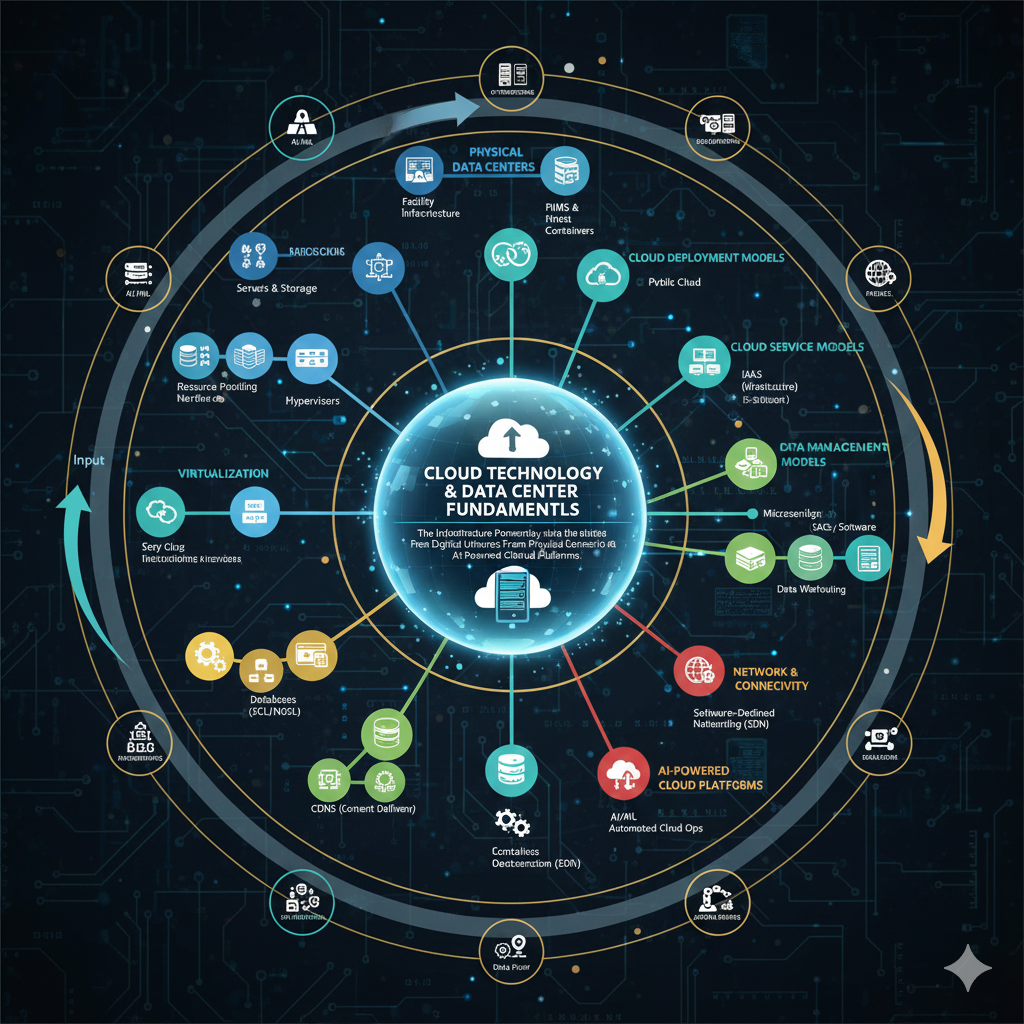
Cloud Technology & Data Center Fundamentals: Powering the Digital Universe from Physical Infrastructure to AI-Driven Cloud
☁️ Cloud Technology & Data Centers
Introduction: The Digital Revolution
We stand at the convergence of three transformative technological waves: cloud computing, massive-scale data centers, and artificial intelligence. These technologies have fundamentally reshaped how we build, deploy, and scale applications across the globe. Today’s presentation explores the intricate relationship between cloud technology and data centers, examining their architecture, evolution, and critical role in powering the AI revolution.
Cloud computing has evolved from a novel concept in the early 2000s to become the backbone of modern digital infrastructure. It represents a paradigm shift from capital-intensive, on-premises IT infrastructure to flexible, scalable, and on-demand computing resources delivered over the internet. Data centers, the physical manifestation of this digital ecosystem, have transformed from simple server rooms into sophisticated facilities that consume as much power as small cities.
🎯 Key Focus Areas
- Understanding fundamental cloud computing concepts and service delivery models
- Exploring data center architecture, classifications, and operational frameworks
- Examining core hardware and software components that power cloud infrastructure
- Analyzing the evolution from traditional computing to cloud-native architectures
- Assessing the critical importance of clouds and data centers in the AI era
Cloud Technology Fundamentals
What is Cloud Computing?
Cloud computing is a model for enabling ubiquitous, convenient, on-demand network access to a shared pool of configurable computing resources that can be rapidly provisioned and released with minimal management effort or service provider interaction. This definition, established by the National Institute of Standards and Technology (NIST), captures the essence of cloud computing’s transformative nature.
At its core, cloud computing abstracts the complexity of underlying infrastructure, allowing users to focus on applications and business logic rather than hardware management. It transforms computing from a product you purchase and maintain to a service you consume on demand, similar to utilities like electricity or water.
Essential Characteristics of Cloud Computing
On-Demand Self-Service
Users can unilaterally provision computing capabilities such as server time and network storage automatically without requiring human interaction with service providers. This self-service portal approach dramatically reduces deployment time from weeks to minutes.
Broad Network Access
Capabilities are available over the network and accessed through standard mechanisms that promote use by heterogeneous thin or thick client platforms including mobile phones, tablets, laptops, and workstations.
Resource Pooling
Provider’s computing resources are pooled to serve multiple consumers using a multi-tenant model, with different physical and virtual resources dynamically assigned and reassigned according to consumer demand. Location independence means customers generally have no control or knowledge over the exact location of provided resources.
Rapid Elasticity
Capabilities can be elastically provisioned and released, in some cases automatically, to scale rapidly outward and inward commensurate with demand. To consumers, capabilities available for provisioning often appear unlimited and can be appropriated in any quantity at any time.
Measured Service
Cloud systems automatically control and optimize resource use by leveraging a metering capability at some level of abstraction appropriate to the type of service. Resource usage can be monitored, controlled, and reported, providing transparency for both the provider and consumer.
Benefits and Value Proposition
Cost Optimization
Cloud computing eliminates capital expenditure on hardware, facilities, and utilities. Organizations pay only for resources consumed, converting fixed costs to variable costs. This pay-as-you-go model enables better financial planning and resource allocation.
Speed and Agility
Resources can be provisioned in minutes rather than weeks or months required for traditional infrastructure. This speed enables rapid experimentation, faster time to market, and the ability to respond quickly to changing business requirements.
Global Scale
Cloud providers operate data centers worldwide, enabling applications to be deployed closer to users for reduced latency and improved performance. Global infrastructure also provides redundancy and disaster recovery capabilities.
Focus on Innovation
By outsourcing infrastructure management to cloud providers, organizations can redirect IT resources toward innovation and core business objectives rather than maintaining data centers and hardware.
Cloud Service Models: The Service Stack
Cloud computing services are typically categorized into three fundamental models, each offering different levels of abstraction and control. Understanding these models is crucial for making informed decisions about cloud adoption and architecture design.
The Cloud Service Stack
Infrastructure as a Service (IaaS)
Definition: IaaS provides fundamental computing resources including virtual machines, storage, networks, and operating systems on demand. Users have maximum control over the infrastructure but are responsible for managing operating systems, middleware, and applications.
Key Components:
- Virtual machines with configurable CPU, memory, and storage
- Virtual networks with subnets, firewalls, and load balancers
- Object storage for unstructured data and block storage for structured data
- Identity and access management systems
Leading Providers: Amazon EC2, Google Compute Engine, Microsoft Azure Virtual Machines, DigitalOcean Droplets
Use Cases: Hosting websites and web applications, test and development environments, big data analysis, backup and disaster recovery, high-performance computing workloads
Platform as a Service (PaaS)
Definition: PaaS provides a complete development and deployment environment in the cloud. It includes infrastructure plus middleware, development tools, database management systems, and business intelligence services. Developers can focus on writing code without worrying about underlying infrastructure.
Key Components:
- Runtime environments for various programming languages
- Database management systems and caching services
- Development tools, version control, and CI/CD pipelines
- Application hosting and scaling capabilities
- Middleware and integration services
Leading Providers: Google App Engine, Heroku, AWS Elastic Beanstalk, Microsoft Azure App Service, Red Hat OpenShift
Use Cases: Application development and deployment, API development and management, business analytics and intelligence, Internet of Things (IoT) platforms, mobile backend services
Software as a Service (SaaS)
Definition: SaaS delivers complete applications over the internet on a subscription basis. Users access software through web browsers without needing to install, manage, or maintain anything. The provider manages all infrastructure, platforms, and software.
Key Characteristics:
- Multi-tenant architecture serving multiple customers from shared infrastructure
- Accessible from any device with internet connectivity
- Automatic updates and patch management
- Subscription-based pricing models
- Centralized data management and backup
Leading Providers: Salesforce, Google Workspace, Microsoft 365, Dropbox, Slack, Zoom, Adobe Creative Cloud
Use Cases: Customer relationship management, email and collaboration, document management, accounting and financial management, human resources management
Emerging Service Models
Function as a Service (FaaS) / Serverless
Serverless computing allows developers to build and run applications without managing servers. Code executes in response to events, with automatic scaling and billing based on actual usage. Examples include AWS Lambda, Azure Functions, and Google Cloud Functions.
Container as a Service (CaaS)
CaaS provides container orchestration and management capabilities, allowing developers to deploy containerized applications without managing underlying infrastructure. Examples include Amazon ECS, Google Kubernetes Engine, and Azure Kubernetes Service.
Database as a Service (DBaaS)
DBaaS offers managed database solutions where the provider handles administration, backups, scaling, and maintenance. Examples include Amazon RDS, Google Cloud SQL, MongoDB Atlas, and Azure Cosmos DB.
AI/ML as a Service
Provides pre-built machine learning models and tools for training custom models without requiring deep expertise in AI. Examples include Google Cloud AI Platform, AWS SageMaker, and Azure Machine Learning.
| Aspect | IaaS | PaaS | SaaS |
|---|---|---|---|
| Control Level | High – Manage OS, middleware, applications | Medium – Manage applications and data | Low – Use applications as provided |
| Flexibility | Maximum customization possible | Limited to platform capabilities | Minimal customization |
| Management Burden | High – Requires IT expertise | Medium – Focus on development | Low – Provider manages everything |
| Time to Deploy | Hours to days | Minutes to hours | Immediate |
| Target Users | IT administrators, DevOps engineers | Application developers | End users, business professionals |
Cloud Deployment Models
Beyond service models, clouds are also categorized by deployment models that determine who can access the infrastructure and how it’s managed. Each deployment model offers different benefits, security considerations, and use cases.
Public Cloud
Description: Infrastructure owned and operated by cloud service providers, available to the general public over the internet. Resources are shared among multiple customers (multi-tenancy).
Advantages: No capital expenditure, high scalability, pay-per-use pricing, reduced management burden
Examples: AWS, Microsoft Azure, Google Cloud Platform
Private Cloud
Description: Infrastructure dedicated exclusively to a single organization, either on-premises or hosted by a third party. Provides greater control over resources, security, and compliance.
Advantages: Enhanced security and privacy, customization capabilities, regulatory compliance, predictable performance
Examples: VMware vSphere, OpenStack, Microsoft Azure Stack
Hybrid Cloud
Description: Combines public and private clouds, allowing data and applications to move between them. Provides greater flexibility and optimization of existing infrastructure.
Advantages: Flexibility to choose optimal environment for each workload, cost optimization, gradual cloud migration path
Use Cases: Burst to cloud for temporary capacity, disaster recovery, separating sensitive and non-sensitive workloads
Multi-Cloud
Description: Using services from multiple cloud providers simultaneously to avoid vendor lock-in, optimize costs, or leverage best-of-breed services from different providers.
Advantages: Avoid vendor lock-in, leverage specialized services, geographic coverage, risk mitigation
Challenges: Increased complexity, need for cloud management platforms, potential security gaps
Community Cloud
Description: Infrastructure shared by several organizations with common concerns (security, compliance, jurisdiction), managed collectively or by a third party.
Advantages: Shared costs, meets specific regulatory requirements, collaborative capabilities
Examples: Government clouds, healthcare clouds, financial services clouds
Data Center Fundamentals
What is a Data Center?
A data center is a specialized facility designed to house computer systems and associated components, including telecommunications and storage systems. Modern data centers are highly engineered environments that provide the physical infrastructure for cloud computing and internet services. They represent a critical component of digital infrastructure, housing the servers, storage, and networking equipment that power applications, websites, and online services.
Data centers have evolved from simple server rooms into massive, sophisticated facilities that can span millions of square feet and consume as much electricity as small cities. They incorporate advanced cooling systems, redundant power supplies, physical security measures, and network connectivity to ensure high availability and performance.
Core Functions of Data Centers
- Computing: Processing workloads through servers and high-performance computing clusters
- Storage: Maintaining vast amounts of data across various storage technologies
- Networking: Facilitating data transfer within the facility and to external networks
- Security: Protecting physical and digital assets through multiple security layers
- Power Distribution: Ensuring continuous, reliable power supply to all equipment
- Cooling: Maintaining optimal temperature and humidity levels for equipment operation
Key Terminology
Rack Unit (U)
A standard unit of measurement for equipment height in server racks. One rack unit equals 1.75 inches (44.45mm). Standard racks are 42U tall, allowing for flexible equipment mounting.
Colocation (Colo)
A service where organizations rent space in a data center facility to house their own servers and equipment, benefiting from the facility’s infrastructure, power, cooling, and connectivity.
Uptime
The percentage of time that data center systems are operational and available. Measured as a percentage (e.g., 99.999% uptime means approximately 5 minutes of downtime per year).
Redundancy
Duplicate components or systems that provide backup in case of failure. Expressed as N (minimum required) + additional copies (e.g., N+1, 2N, 2N+1).
Power Usage Effectiveness (PUE)
A metric measuring data center energy efficiency, calculated as total facility power divided by IT equipment power. Lower values indicate better efficiency, with 1.0 being theoretically perfect.
Hot Aisle / Cold Aisle
A layout design where server racks face alternating directions to create aisles of hot exhaust air and cold intake air, optimizing cooling efficiency and reducing energy consumption.
Service Level Agreement (SLA)
A contract defining expected service levels, including uptime guarantees, response times, and penalties for not meeting specified metrics.
Latency
The time delay between a request and response in network communication, typically measured in milliseconds. Critical for real-time applications and user experience.
Data Center Tier Classifications
The Uptime Institute developed a standardized tier classification system that categorizes data centers based on their infrastructure redundancy, fault tolerance, and expected uptime. This system helps organizations select appropriate facilities based on their availability requirements and budget constraints.
Understanding Tier Classifications
The tier system provides a consistent framework for comparing data center capabilities worldwide. Each tier builds upon the previous one, adding layers of redundancy and fault tolerance. Higher tiers offer greater availability but come with increased capital and operational costs.
| Tier Level | Availability | Annual Downtime | Redundancy | Key Characteristics |
|---|---|---|---|---|
| Tier I: Basic | 99.671% | 28.8 hours | N (No redundancy) | Single path for power and cooling, no redundant components, vulnerable to planned and unplanned outages |
| Tier II: Redundant Components | 99.741% | 22.0 hours | N+1 | Single path with redundant components, partial protection against disruptions, maintenance requires shutdown |
| Tier III: Concurrently Maintainable | 99.982% | 1.6 hours | N+1 with dual paths | Multiple active power and cooling paths, maintenance without shutdown, one path always active |
| Tier IV: Fault Tolerant | 99.995% | 0.4 hours | 2N or 2(N+1) | Multiple active paths, fully fault-tolerant, can sustain any single infrastructure failure without impact |
Detailed Tier Analysis
Basic Capacity
Infrastructure: Single non-redundant distribution path serving IT equipment. No redundant components. Basic site infrastructure with expected availability of 99.671%.
Power: Single UPS module, single generator, single utility feed
Cooling: Single cooling system with no backup
Typical Use Cases: Small businesses, development environments, non-critical applications
Limitations: Susceptible to disruptions from both planned maintenance and equipment failures
Redundant Site Infrastructure
Infrastructure: Meets or exceeds Tier I requirements with addition of redundant components (N+1). Single distribution path but with redundant capacity components.
Power: N+1 UPS modules, N+1 generators, single utility feed
Cooling: N+1 cooling systems providing backup capacity
Typical Use Cases: Medium-sized enterprises, e-commerce sites, business applications
Limitations: Planned maintenance may still require partial or full shutdown despite redundancy
Concurrently Maintainable
Infrastructure: Multiple independent distribution paths serving IT equipment. Only one path active at a time, but switching capability allows maintenance without shutdown.
Power: Multiple UPS systems, multiple generators, dual utility feeds, automatic transfer switches
Cooling: Multiple independent cooling systems with distribution redundancy
Typical Use Cases: Large enterprises, financial services, healthcare, mission-critical applications
Benefits: Any single component can be removed for maintenance without impacting operations
Fault Tolerant
Infrastructure: Multiple active, independent distribution paths. Fully fault-tolerant with compartmentalized security zones benefiting from dual-powered equipment and diverse distribution paths.
Power: 2N or 2(N+1) UPS systems, multiple generators with on-site fuel storage, multiple utility feeds
Cooling: Fully redundant cooling with multiple independent systems
Typical Use Cases: Global financial institutions, telecommunications, government facilities, hyperscale cloud providers
Benefits: Can sustain any single equipment failure or distribution path disruption without impact to IT operations
Core Hardware Components
Data center hardware comprises the physical infrastructure that enables computing, storage, networking, and support functions. Understanding these components is essential for designing, deploying, and managing modern data center operations.
Computing Infrastructure
Rack Servers
Standard horizontal servers designed to be mounted in racks, typically 1U or 2U in height. Most common form factor offering balance of density, serviceability, and cooling efficiency. Examples include Dell PowerEdge, HP ProLiant, and Lenovo ThinkSystem.
Specifications: Dual-socket configurations, up to 512GB-2TB RAM, hot-swappable drives, redundant power supplies
Blade Servers
Modular servers that slide into a chassis providing shared power, cooling, and networking infrastructure. Offer higher density than rack servers but with less individual flexibility. Used in highly standardized environments.
Advantages: Maximum space efficiency, simplified cable management, reduced power consumption per server
High-Performance Computing (HPC) Nodes
Specialized servers optimized for parallel processing and computational workloads. Feature high-speed interconnects, multiple GPUs or accelerators, and optimized architectures for scientific computing.
Applications: Weather modeling, molecular dynamics, artificial intelligence training, financial modeling
AI/ML Accelerated Servers
Purpose-built servers featuring multiple GPU accelerators (NVIDIA A100, H100), high-bandwidth memory, and NVLink interconnects. Designed specifically for deep learning training and inference workloads.
Key Features: 8-16 GPUs per server, PCIe Gen4/Gen5, high-speed networking (200-400Gbps), liquid cooling capability
Microservers
Low-power, compact servers designed for specific workloads like web serving, caching, or edge computing. Sacrifice individual performance for improved power efficiency and density.
Use Cases: Content delivery networks, edge computing, scale-out web applications
Storage Systems
Direct Attached Storage (DAS)
Storage devices directly connected to individual servers via SATA, SAS, or NVMe interfaces. Offers lowest latency and highest performance but limited scalability and no sharing between servers.
Technologies: NVMe SSDs, SAS HDDs, U.2 drives
Performance: Up to 7GB/s per drive (NVMe Gen4)
Network Attached Storage (NAS)
File-level storage accessible over a network using protocols like NFS or SMB/CIFS. Provides shared storage for multiple servers with simpler management than SAN.
Advantages: Easy to deploy, cross-platform compatibility, centralized management
Typical Capacity: 10TB to multiple petabytes
Storage Area Network (SAN)
Block-level storage network separate from data network, using Fibre Channel or iSCSI protocols. Provides high-performance, shared storage with advanced features like snapshots and replication.
Components: Storage arrays, FC switches, HBAs
Performance: 32Gbps-128Gbps Fibre Channel
Object Storage
Scalable storage architecture managing data as objects rather than files or blocks. Ideal for unstructured data, cloud storage, and massive-scale deployments.
Examples: Amazon S3, Azure Blob Storage, Ceph
Use Cases: Backup, archival, big data analytics, content distribution
Networking Equipment
- Top-of-Rack (ToR) Switches: Ethernet switches mounted at the top of each server rack, typically providing 48-port 10/25/40GbE connectivity with uplinks to spine switches. Examples include Cisco Nexus, Arista 7050 series, and Juniper QFX series.
- Spine Switches: High-capacity switches forming the backbone of the data center network, aggregating traffic from ToR switches. Support 100GbE-400GbE interfaces with non-blocking, low-latency switching fabric.
- Load Balancers: Distribute incoming traffic across multiple servers for optimal resource utilization and high availability. Can be hardware appliances (F5 BIG-IP) or software-based (HAProxy, NGINX).
- Firewalls: Network security appliances inspecting and filtering traffic based on security policies. Next-generation firewalls include intrusion prevention, application awareness, and threat intelligence.
- Routers: Direct traffic between different networks and to external connections. Border routers connect to ISPs while internal routers manage traffic between data center zones.
- Network Interface Cards (NICs): Adapters connecting servers to the network. Modern NICs support 25GbE-200GbE speeds with hardware offload capabilities like RDMA (Remote Direct Memory Access) for ultra-low latency.
Power Infrastructure
Power Distribution Hierarchy
Utility Connection
Primary power source from electric utility, typically medium voltage (4-35kV). Tier III and IV facilities have multiple utility feeds from different substations for redundancy.
Backup Generators
Diesel or natural gas generators providing backup power during utility outages. Size ranges from hundreds of kilowatts to multiple megawatts. Include automatic transfer switches (ATS) for seamless failover.
Configuration: N+1 or 2N redundancy, on-site fuel storage for 24-72 hours operation
Uninterruptible Power Supplies (UPS)
Battery-backed systems providing clean, conditioned power and bridging the gap between utility loss and generator startup (10-15 seconds). Modern UPS systems are modular, scalable, and highly efficient (95-99%).
Types: Double-conversion, line-interactive, rotary UPS
Power Distribution Units (PDU)
Distribute power from UPS to server racks. Rack-level PDUs provide monitoring, remote control, and outlet-level metering. Intelligent PDUs enable power management and capacity planning.
Cooling Systems
Computer Room Air Conditioning (CRAC)
Traditional cooling system using vapor compression refrigeration. Cool air distributed through raised floor plenum. Precise temperature and humidity control but relatively energy-intensive.
Capacity: 100-600 tons per unit
Computer Room Air Handler (CRAH)
Uses chilled water from central plant rather than direct refrigeration. More energy-efficient than CRAC and allows free cooling when outside temperature permits.
Efficiency: 30-40% lower energy consumption vs CRAC
In-Row Cooling
Cooling units placed directly between server racks, providing targeted cooling where needed. More efficient than traditional perimeter cooling, particularly for high-density deployments.
Advantages: Reduced energy use, improved cooling efficiency, higher rack density support
Liquid Cooling
Direct liquid cooling of components using cold plates or immersion cooling. Required for ultra-high-density deployments and AI accelerators consuming 400W+ per chip.
Types: Direct-to-chip, rear-door heat exchangers, immersion cooling
Core Software Components
Modern data centers rely on sophisticated software stacks that enable virtualization, orchestration, monitoring, and management of physical and virtual resources. These software layers transform physical infrastructure into flexible, programmable platforms.
Virtualization and Hypervisors
What is Virtualization?
Virtualization creates virtual versions of physical resources including servers, storage, and networks. It enables multiple operating systems and applications to run simultaneously on single physical hardware, dramatically improving resource utilization from typical 15-20% to 70-80%.
Type 1 Hypervisors (Bare Metal)
Run directly on hardware without underlying operating system, providing best performance and security isolation. Used in enterprise data centers and cloud infrastructure.
Examples: VMware ESXi, Microsoft Hyper-V, Xen, KVM
Features: Direct hardware access, advanced resource management, live migration, high availability
Type 2 Hypervisors (Hosted)
Run as application on host operating system. Lower performance than Type 1 but easier to set up and manage. Commonly used for development and testing.
Examples: VMware Workstation, VirtualBox, Parallels Desktop
Use Cases: Development environments, desktop virtualization, testing
Container Technology
Containers provide lightweight virtualization by packaging applications with their dependencies while sharing the host OS kernel. Containers start in seconds compared to minutes for VMs and consume significantly less resources.
- Docker: Leading containerization platform that standardized container formats and tooling. Provides container runtime, image building, and registry services. Docker Engine runs on Linux, Windows, and macOS.
- Kubernetes: Open-source container orchestration platform automating deployment, scaling, and management of containerized applications across clusters. Originally developed by Google, now managed by CNCF.
- Container Runtime: Low-level software that runs containers. Options include containerd, CRI-O, and runc. Abstracts kernel features like cgroups and namespaces.
- Service Mesh: Infrastructure layer handling service-to-service communication in microservices architectures. Examples include Istio, Linkerd, and Consul, providing traffic management, security, and observability.
Orchestration and Management
Infrastructure as Code (IaC)
Managing infrastructure through machine-readable definition files rather than manual processes. Enables version control, reproducibility, and automation.
Tools: Terraform, Ansible, Puppet, Chef, CloudFormation
Benefits: Consistency, speed, reduced errors, documentation
Configuration Management
Automated configuration of systems to maintain consistent state across infrastructure. Ensures all servers have correct software versions, settings, and security patches.
Tools: Ansible, Puppet, Chef, SaltStack
Capabilities: Desired state management, drift detection, compliance enforcement
Monitoring and Observability
Collecting, analyzing, and visualizing metrics, logs, and traces from infrastructure and applications. Essential for performance optimization, troubleshooting, and capacity planning.
Components: Prometheus (metrics), ELK Stack (logs), Jaeger (tracing), Grafana (visualization)
CI/CD Pipelines
Continuous Integration and Continuous Deployment systems automating code testing, building, and deployment. Enable rapid, reliable software delivery.
Tools: Jenkins, GitLab CI/CD, GitHub Actions, CircleCI, ArgoCD
Stages: Source control, build, test, deploy, monitor
Data Center Infrastructure Management (DCIM)
Software managing physical data center assets, power, cooling, and space. Provides real-time monitoring and capacity planning for optimal efficiency.
Functions: Asset tracking, power monitoring, environmental monitoring, capacity planning
Storage Software
- Software-Defined Storage (SDS): Abstracts storage services from underlying hardware, enabling pooling and provisioning through software. Examples include Ceph, GlusterFS, and VMware vSAN.
- Database Management Systems: Relational databases (PostgreSQL, MySQL, Oracle), NoSQL databases (MongoDB, Cassandra, Redis), and NewSQL systems (CockroachDB, Spanner) powering applications.
- Backup and Recovery: Systems ensuring data protection through regular backups, snapshots, and replication. Solutions include Veeam, Commvault, and native cloud backup services.
- Data Deduplication and Compression: Technologies reducing storage footprint by eliminating redundant data and compressing remaining data. Can achieve 10:1 or higher reduction ratios.
Networking Software
Software-Defined Networking (SDN)
Control Plane
Centralized SDN controller making network-wide decisions about traffic forwarding. Maintains global view of network topology and policies.
Controllers: OpenDaylight, ONOS, VMware NSX, Cisco ACI
Data Plane
Physical and virtual switches forwarding traffic based on instructions from control plane. Uses protocols like OpenFlow for controller communication.
Components: Open vSwitch, hardware switches with SDN support
Application Layer
Applications consuming network services through APIs exposed by SDN controller. Includes load balancers, firewalls, and monitoring tools.
Security Software
Identity and Access Management (IAM)
Controls who can access which resources through authentication, authorization, and access policies. Implements principles of least privilege and zero trust.
Components: LDAP/Active Directory, OAuth, SAML, multi-factor authentication
Security Information and Event Management (SIEM)
Aggregates and analyzes security logs from across infrastructure to detect threats and ensure compliance.
Tools: Splunk, ELK Stack with Security Analytics, IBM QRadar
Vulnerability Management
Identifies, classifies, and remediates security vulnerabilities in systems and applications through automated scanning and patching.
Tools: Nessus, Qualys, OpenVAS
Encryption and Key Management
Protects data at rest and in transit using encryption. Key management systems securely store and manage cryptographic keys.
Standards: AES-256, TLS 1.3, HashiCorp Vault
Evolution: From Mainframes to Hyperscale
The journey from centralized mainframes to distributed cloud infrastructure represents one of the most significant technological transformations in computing history. This evolution reflects changing business needs, technological capabilities, and economic models.
Mainframe Era
Computing dominated by large, expensive mainframe computers from IBM, Control Data, and others. Systems occupied entire climate-controlled rooms and required specialized operators. Access provided through dumb terminals with time-sharing allowing multiple users to share resources.
Characteristics: Centralized computing, batch processing, high cost, limited access
Key Innovation: Time-sharing systems allowing multiple users
Client-Server Architecture
Personal computers and local area networks enabled distributed computing models. Servers provided shared services (file storage, email, databases) to client workstations. Minicomputers from DEC and Unix workstations gained popularity.
Characteristics: Distributed processing, department-level servers, network-centric
Key Innovation: Ethernet networking, relational databases
Internet and Web Services
World Wide Web commercialization drove demand for internet-facing servers. Organizations built data centers to host web servers, email systems, and early e-commerce platforms. Web hosting providers emerged offering shared infrastructure.
Characteristics: Internet-centric, 24/7 operations, rapid growth
Key Innovation: HTTP/HTML, SSL/TLS, web applications
Virtualization Revolution
VMware and other virtualization technologies enabled server consolidation and more efficient resource utilization. Concept of “utility computing” emerged with early cloud providers offering infrastructure as a service.
Characteristics: Server consolidation, improved utilization, infrastructure abstraction
Key Innovation: x86 virtualization, virtual machine migration
Cloud Computing Emergence
Amazon Web Services launched EC2 and S3, establishing infrastructure as a service model. Google and Microsoft followed with their cloud platforms. Businesses began migrating from on-premises infrastructure to cloud.
Characteristics: On-demand resources, pay-per-use pricing, API-driven provisioning
Key Innovation: Elastic computing, object storage, auto-scaling
Cloud Native and DevOps
Organizations adopted cloud-native architectures with microservices, containers, and continuous deployment. DevOps practices merged development and operations. Infrastructure as Code became standard practice.
Characteristics: Microservices, containers, automation, agile deployment
Key Innovation: Docker, Kubernetes, infrastructure automation
Hybrid and Multi-Cloud
Enterprises adopted hybrid cloud strategies combining on-premises and cloud resources. Multi-cloud deployments across multiple providers became common. Edge computing emerged for latency-sensitive applications.
Characteristics: Cloud portability, hybrid integration, edge processing
Key Innovation: Cloud interconnection, container orchestration, service meshes
AI-Driven Hyperscale Era
Explosive growth of AI and machine learning drives demand for specialized hardware (GPUs, TPUs) and massive computing power. Hyperscale data centers exceed 100MW power consumption. Sustainability becomes critical concern.
Characteristics: AI acceleration, extreme scale, sustainability focus, edge intelligence
Key Innovation: AI accelerators, liquid cooling, renewable energy integration
Technological Driving Forces
The AI Era: Transforming Infrastructure Demands
The emergence of artificial intelligence, particularly deep learning and large language models, has fundamentally transformed data center requirements. AI workloads demand unprecedented computing power, specialized hardware, massive data storage, and ultra-high-bandwidth networking. This section explores how AI is reshaping cloud and data center infrastructure.
AI Infrastructure Requirements
🧠 Why AI Changes Everything
Training large AI models like GPT-4, Claude, or Gemini requires thousands of GPUs working in parallel for months, consuming megawatts of power and generating petabytes of data. A single training run can cost tens of millions of dollars in compute resources. This scale demands purpose-built infrastructure fundamentally different from traditional computing workloads.
Compute: GPU Clusters
Modern AI training relies on massive GPU clusters. NVIDIA H100 GPUs provide 4 petaFLOPS of AI performance per chip. Clusters scale to 10,000+ GPUs connected via high-speed NVLink and InfiniBand networks.
Power Consumption: 700W per GPU, requiring liquid cooling for density
Economics: Single H100 server costs $200,000-300,000
Networking: Ultra-Low Latency
AI training requires tightly coupled GPUs with microsecond-level latency. InfiniBand and RoCE networks provide 400Gbps-800Gbps per port with RDMA for zero-copy data transfer.
Technologies: NVIDIA InfiniBand, RoCE v2, NVLink Switch
Topology: Fat-tree or rail-optimized architectures
Storage: Petabyte Scale
Training datasets reach petabyte scale. High-performance parallel file systems like Lustre or WekaFS provide hundreds of GB/s aggregate throughput to feed GPU clusters.
Requirements: Low latency, high bandwidth, massive capacity
Technologies: NVMe arrays, parallel file systems, object storage
Specialized Accelerators
Beyond GPUs, custom AI accelerators optimize specific workloads. Google TPUs, AWS Trainium, and Cerebras wafer-scale engines offer alternatives for training and inference.
Advantages: Higher efficiency, lower cost per operation, specialized designs
Power and Cooling
AI clusters consume 50-100MW in single facilities. Liquid cooling is essential for densities exceeding 50kW per rack. Some facilities use direct-to-chip cooling or immersion cooling.
Efficiency: PUE approaching 1.1 with advanced cooling
Impact on Data Center Design
| Aspect | Traditional Data Center | AI-Optimized Data Center |
|---|---|---|
| Power Density | 5-10 kW per rack | 30-100 kW per rack |
| Cooling Approach | Air cooling (CRAC/CRAH) | Liquid cooling (direct-to-chip, immersion) |
| Network Bandwidth | 10-100 Gbps per server | 400-800 Gbps per server |
| Storage Throughput | GB/s aggregate | TB/s aggregate |
| Facility Power | 5-20 MW typical | 50-150 MW for AI supercomputers |
| Network Topology | Traditional spine-leaf | Rail-optimized, non-blocking fabrics |
Cloud AI Services
Training Infrastructure
Cloud providers offer GPU clusters for model training on demand. Services include managed Kubernetes with GPU support, distributed training frameworks, and hyperparameter tuning.
Examples: AWS SageMaker, Google Cloud AI Platform, Azure Machine Learning
Inference Optimization
Specialized services for deploying trained models with low latency and high throughput. Include model optimization, quantization, and serving infrastructure.
Technologies: TensorRT, ONNX Runtime, custom inference chips
Pre-trained Models
API access to foundation models for vision, language, and multimodal tasks. Eliminates need to train from scratch for common use cases.
Services: OpenAI API, Anthropic Claude, Google Gemini, AWS Bedrock
MLOps Platforms
End-to-end platforms for model development, training, deployment, and monitoring. Provide experiment tracking, model versioning, and automated retraining.
Tools: MLflow, Kubeflow, Weights & Biases
Critical Role in Modern Internet
Cloud computing and data centers form the invisible infrastructure powering virtually every aspect of modern digital life. From streaming entertainment to financial transactions, from social media to autonomous vehicles, these systems enable the always-on, globally connected world we now take for granted.
Economic Impact
Enabling Digital Services
Streaming Media
Netflix, YouTube, Spotify, and others deliver exabytes of video and audio content monthly. CDN networks with edge caching ensure smooth playback worldwide. Adaptive bitrate streaming adjusts quality based on network conditions.
Scale: Netflix streams 15+ petabytes daily across 190+ countries
Social Networking
Platforms like Facebook, Instagram, Twitter, and TikTok serve billions of users with real-time feeds, messaging, and content sharing. Require massive storage for photos/videos and sophisticated recommendation algorithms.
Scale: Facebook processes 4+ petabytes of data daily
E-Commerce
Online retailers process millions of transactions daily with real-time inventory, personalized recommendations, and secure payment processing. Peak shopping events require elastic scaling to handle 10x normal traffic.
Impact: $5+ trillion in annual online retail sales globally
Financial Services
Banking, trading, and payment systems require ultra-high reliability, security, and regulatory compliance. Real-time fraud detection uses machine learning on transaction streams.
Requirements: 99.999% uptime, millisecond latency, complete audit trails
Healthcare
Electronic health records, telemedicine, medical imaging, and drug discovery increasingly rely on cloud infrastructure. AI analyzes medical images and assists diagnosis.
Challenges: HIPAA compliance, data privacy, integration with legacy systems
Internet of Things
Billions of connected devices from smart homes to industrial sensors generate continuous data streams requiring real-time processing and storage at cloud scale.
Scale: 30+ billion IoT devices expected by 2025
Innovation Acceleration
Startup Enablement
Cloud infrastructure democratized technology access, allowing startups to launch with minimal capital. Companies can scale from zero to millions of users without building data centers.
Impact: Reduced time-to-market from years to months, enabled unicorn startups like Airbnb, Uber, Stripe
Scientific Research
Researchers access supercomputing resources for climate modeling, genomics, physics simulations, and drug discovery without building facilities.
Examples: Protein folding (AlphaFold), COVID-19 vaccine development, climate modeling
Global Collaboration
Teams across continents collaborate in real-time using cloud-based tools. Remote work became viable at massive scale during pandemic thanks to cloud infrastructure.
Tools: Video conferencing, shared documents, project management, development environments
AI Democratization
Pre-trained models and cloud AI services make sophisticated AI accessible to developers without PhD-level expertise or million-dollar budgets.
Impact: Thousands of AI-powered applications across industries
Societal Implications
- Digital Divide: While cloud services are globally accessible, reliable internet connectivity and digital literacy gaps create disparities in access to cloud-enabled services and opportunities.
- Data Sovereignty: Questions about where data resides and which jurisdiction’s laws apply become complex in global cloud infrastructure. Countries implement data localization requirements.
- Environmental Impact: Data centers consume 1-2% of global electricity. Industry moving toward renewable energy, with major providers committed to carbon neutrality.
- Employment Transformation: Cloud computing changes IT job market, shifting from infrastructure management to cloud architecture, DevOps, and application development.
- Privacy and Security: Concentration of data in cloud providers raises concerns about surveillance, data breaches, and individual privacy rights.
Sustainability and Future Directions
Environmental Challenges
The explosive growth of cloud computing and data centers presents significant environmental challenges. Data centers worldwide consume approximately 200-250 TWh annually, equivalent to 1% of global electricity demand. This consumption is projected to triple by 2030 with AI growth. However, the industry is responding with aggressive sustainability initiatives.
🌍 Carbon Footprint Reality
A single large data center can consume 100+ MW of power continuously – equivalent to a small city. Training a large language model emits as much CO2 as five cars over their lifetimes. However, cloud efficiency means moving to cloud often reduces overall emissions compared to on-premises infrastructure.
Sustainability Initiatives
Renewable Energy
Major cloud providers committed to 100% renewable energy. Google achieved 24/7 carbon-free energy in some regions. Microsoft, Amazon, and Meta investing in wind and solar farms.
Progress: AWS 90%+ renewable, Google 67% carbon-free 24/7
Cooling Innovation
Advanced cooling technologies dramatically reduce energy consumption. Free cooling uses outside air, liquid cooling reduces pump energy, and AI optimizes cooling systems in real-time.
Results: PUE reduced from 2.0 to 1.1-1.2 in modern facilities
Hardware Efficiency
Custom chips like Google TPUs and AWS Graviton processors optimized for specific workloads use significantly less energy than general-purpose CPUs.
Gains: 2-4x performance per watt improvement
Circular Economy
Server lifecycle extended through refurbishment and reuse. Components recycled to recover rare earth metals. Some providers target zero waste to landfill.
Example: Google reuses/resells 20% of decommissioned servers
Emerging Technologies and Trends
Edge Computing
Processing moves closer to data sources and users for reduced latency and bandwidth. Critical for autonomous vehicles, AR/VR, and real-time IoT applications.
Architecture: Distributed micro data centers, 5G integration
Market: $250B+ by 2030
Quantum Computing
Early quantum computers available through cloud services for specialized problems. Potential to revolutionize cryptography, drug discovery, and optimization.
Providers: IBM Quantum, AWS Braket, Azure Quantum
Status: Limited qubits, error-prone, but rapidly advancing
Serverless Evolution
Continued abstraction away from infrastructure management. Functions evolve to support more use cases with longer execution times and stateful operations.
Benefits: Pay-per-millisecond, automatic scaling, reduced operational burden
Confidential Computing
Hardware-based trusted execution environments protect data during processing. Enables secure multi-party computation and privacy-preserving AI.
Technologies: Intel SGX, AMD SEV, ARM TrustZone
AI-Driven Operations
AIOps platforms use machine learning to automate data center operations, predict failures, and optimize resource allocation autonomously.
Capabilities: Anomaly detection, predictive maintenance, auto-remediation
Disaggregated Infrastructure
Compute, memory, and storage separated and pooled independently. Allows precise resource allocation and higher utilization.
Technologies: CXL (Compute Express Link), composable infrastructure
Challenges Ahead
- Power Availability: Finding locations with sufficient power capacity for 100MW+ facilities increasingly difficult. Requires collaboration with utilities for grid upgrades.
- Water Scarcity: Traditional cooling consumes millions of gallons daily. Drought-prone regions restricting water-intensive data centers. Shift to closed-loop and air cooling.
- Chip Shortages: Semiconductor supply chain disruptions impact data center expansion. Geopolitical tensions complicate advanced chip procurement.
- Talent Gap: Growing demand for cloud architects, AI engineers, and data center specialists outpaces workforce development.
- Regulatory Complexity: Navigating divergent regulations across jurisdictions for data privacy, security, and sovereignty.
- Security Threats: Increasing sophistication of cyber attacks targeting cloud infrastructure. Quantum computing threatens current encryption standards.
Best Practices and Architecture Patterns
Cloud Architecture Principles
Well-Architected Framework
Leading cloud providers publish architecture frameworks guiding best practices. These frameworks typically include five or six pillars:
Operational Excellence
Run and monitor systems to deliver business value and continually improve processes. Includes infrastructure as code, automated deployments, observability, and incident response.
Practices: CI/CD pipelines, automated testing, comprehensive logging, runbooks, post-mortems
Security
Protect information, systems, and assets through risk assessments and mitigation strategies. Implement defense in depth with multiple security layers.
Practices: Identity-based access control, encryption everywhere, security scanning, compliance automation, zero trust architecture
Reliability
Ensure workload performs intended function correctly and consistently. Design for failure and recovery. Includes high availability and disaster recovery.
Practices: Multi-AZ deployment, automated failover, regular backup testing, chaos engineering, SLA monitoring
Performance Efficiency
Use computing resources efficiently to meet requirements and maintain efficiency as demand changes. Right-size resources and leverage managed services.
Practices: Performance testing, caching strategies, CDN usage, database optimization, auto-scaling
Cost Optimization
Avoid unnecessary costs through resource optimization, right-sizing, and usage tracking. Implement financial governance for cloud spending.
Practices: Reserved instances, spot instances, resource tagging, cost monitoring, automated resource cleanup
Sustainability
Minimize environmental impact through efficient resource utilization, renewable energy usage, and workload optimization.
Practices: Region selection for renewable energy, efficient instance types, serverless adoption, workload scheduling
Common Architecture Patterns
Microservices Architecture
Application decomposed into small, independent services communicating via APIs. Enables independent deployment, scaling, and technology choices per service.
Benefits: Agility, resilience, scalability
Challenges: Distributed complexity, service coordination
Event-Driven Architecture
Services react to events through message queues or event streams. Enables loose coupling and asynchronous processing at scale.
Technologies: Apache Kafka, AWS EventBridge, Azure Event Grid
Use Cases: Real-time analytics, workflow automation
Multi-Tier Architecture
Traditional pattern separating presentation, application logic, and data tiers. Each tier scales independently based on demand.
Layers: Web tier, application tier, database tier, caching tier
Advantages: Clear separation of concerns, proven pattern
Serverless Architecture
Applications built using functions, managed databases, and API gateways without server management. Cloud provider handles scaling and availability.
Benefits: Zero infrastructure management, pay-per-use pricing
Best For: Event processing, APIs, scheduled tasks
Data Center Operational Best Practices
- Capacity Planning: Continuously monitor utilization trends and project future needs. Plan for 18-24 months ahead to accommodate procurement and construction lead times.
- Change Management: Implement rigorous change control processes for infrastructure modifications. Require testing, rollback plans, and approval workflows for changes.
- Documentation: Maintain comprehensive documentation of physical and logical infrastructure including network diagrams, cable runs, and configuration standards.
- Monitoring and Alerting: Deploy comprehensive monitoring covering power, cooling, network, compute, and storage. Alert on anomalies before they cause outages.
- Disaster Recovery: Regular testing of backup systems, failover procedures, and recovery processes. Document RTO (Recovery Time Objective) and RPO (Recovery Point Objective) for all systems.
- Physical Security: Implement multiple security layers including perimeter fencing, biometric access control, video surveillance, and security personnel.
- Vendor Management: Establish strong relationships with equipment vendors, internet service providers, and contractors. Maintain SLAs with clear escalation paths.
Real-World Case Studies
Netflix: Global Streaming at Scale
Challenge
Stream high-quality video to 230+ million subscribers across 190 countries with minimal buffering while managing massive content library and personalized recommendations.
Solution Architecture
- Hybrid Cloud Approach: AWS for control plane (user management, recommendations, encoding) with custom CDN (Open Connect) for content delivery
- Microservices: 700+ microservices handling different functions from authentication to billing to recommendations
- Global CDN: 17,000+ Open Connect servers in ISP data centers worldwide caching content near users
- Adaptive Streaming: Dynamic bitrate adjustment based on network conditions ensures smooth playback
- Chaos Engineering: Intentionally inject failures in production to test resilience (Chaos Monkey)
Results
Scale: 15+ petabytes daily traffic, 98% of streams start within seconds, handles peak loads 100x average
Innovation: Advanced codecs (AV1) reduce bandwidth by 50%, ML-driven encoding optimization
Spotify: Personalized Music for Millions
Challenge
Provide personalized music recommendations and streaming to 500+ million users while managing 100+ million song catalog and supporting offline playback.
Technical Approach
- Google Cloud Platform: Migrated from on-premises data centers to GCP for scalability and global reach
- Data Pipeline: Process 2+ petabytes daily through Apache Beam and Cloud Dataflow for recommendation engine
- Machine Learning: Thousands of ML models personalizing playlists like Discover Weekly and Daily Mix
- Event-Driven: Real-time processing of listening events for immediate personalization updates
Business Impact
Reduced infrastructure costs 30%, improved recommendation accuracy driving 40% increase in user engagement, enabled rapid international expansion
Capital One: Banking in the Cloud
Digital Transformation Journey
Challenge: Traditional bank transforming to technology company while maintaining security, compliance, and reliability for financial services.
Strategy: Committed to becoming first major U.S. bank to exit physical data centers, moving entirely to public cloud (AWS).
Implementation:
- Migrated thousands of applications to AWS over 7 years
- Rebuilt applications as cloud-native microservices
- Implemented infrastructure as code for consistency and compliance
- Developed extensive security controls and monitoring
- Closed last data center in 2020
Benefits: 40% reduction in infrastructure costs, 50% faster application deployment, improved disaster recovery capabilities, accelerated innovation with new features deployed weekly instead of quarterly
Conclusion: The Foundation of Digital Future
Cloud computing and data centers have evolved from supporting infrastructure into the fundamental platform enabling digital transformation across industries. They represent one of the most significant technological shifts in computing history, comparable to the advent of personal computers or the internet itself.
Key Takeaways
Ubiquitous Infrastructure
Cloud and data centers power virtually every digital service we use daily. From streaming entertainment to online banking, from social media to autonomous vehicles, modern life depends on this invisible infrastructure operating reliably 24/7.
Continuous Evolution
The infrastructure continues evolving rapidly with AI workloads, edge computing, quantum computing, and sustainability initiatives driving next-generation architectures. Organizations must stay current with emerging technologies and best