
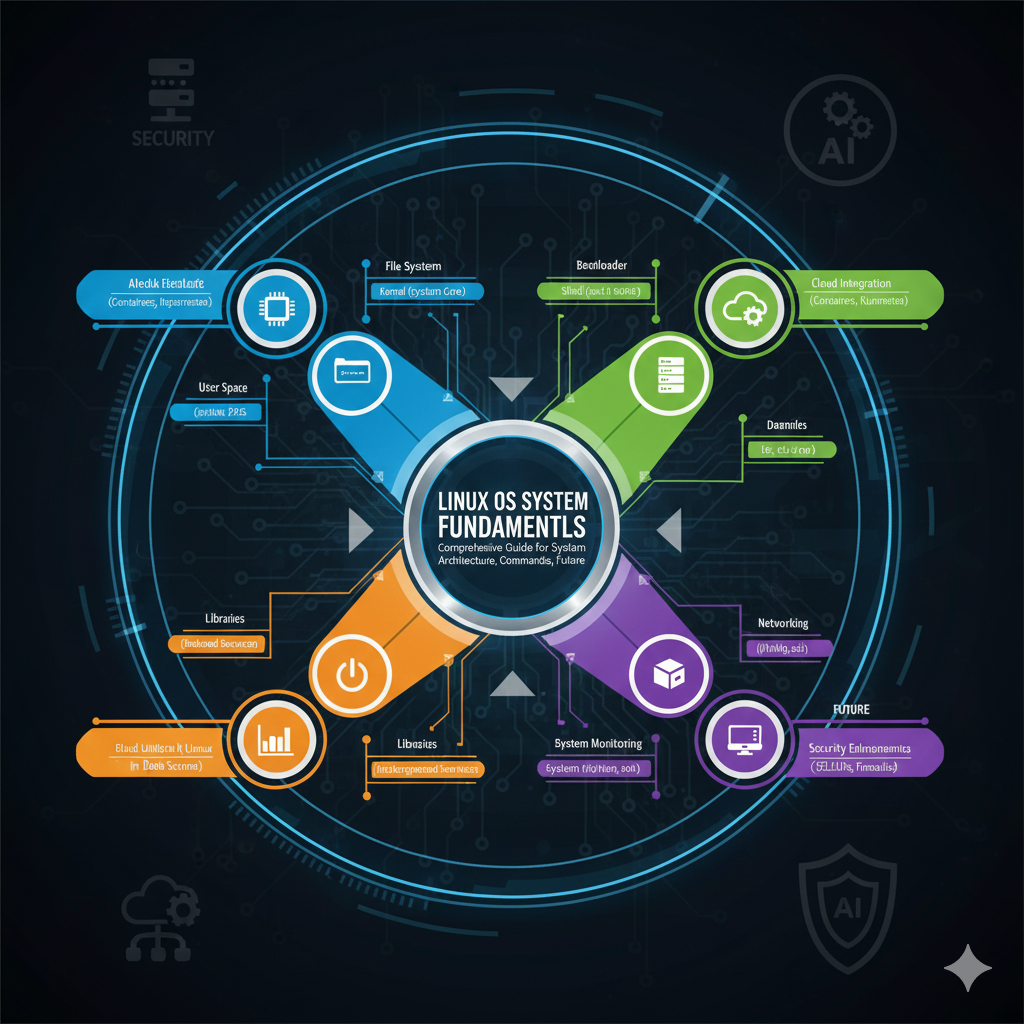
🐧 Linux OS System Fundamentals
EDUNXT TECH LEARNING
Pioneering the Future of Education Through AI
📋 Presentation Agenda
Linux Architecture
Understanding the layered structure and core components
Global Linux Distributions
Major distributions used worldwide
Terminology & Components
Essential concepts and building blocks
Essential Commands
Critical commands for mastery
Android OS Connection
Linux foundation of mobile OS
Linux in AI Era
Modern relevance and future
🐧 Introduction to Linux Operating System
What is Linux?
Linux is a free and open-source Unix-like operating system kernel first released by Linus Torvalds on September 17, 1991. It has since grown into one of the most widely used operating systems globally, powering everything from smartphones to supercomputers, web servers to IoT devices.
Key Characteristics of Linux
- Open Source: Source code is freely available and can be modified and redistributed by anyone under the GNU General Public License (GPL)
- Multi-User: Multiple users can access system resources simultaneously without interfering with each other
- Multi-Tasking: Can run multiple processes simultaneously with efficient resource management
- Portability: Can run on various hardware platforms from embedded systems to mainframes
- Security: Built-in security features including user permissions, SELinux, and AppArmor
- Stability: Known for long uptimes and reliable performance in production environments
Philosophy and Design Principles
Everything is a File
Linux treats all resources including hardware devices, processes, and network connections as files, providing a unified interface for interaction
Small, Single-Purpose Tools
Unix philosophy of creating small programs that do one thing well and can be combined through pipes and redirection
Configuration in Plain Text
System configuration stored in human-readable text files, making administration and automation straightforward
Avoid Captive User Interfaces
Emphasis on command-line interfaces and scripting for flexibility and automation capabilities
📜 Evolution and History of Linux
Linux Kernel Birth
Linus Torvalds, a Finnish computer science student, announced the first version of Linux kernel (0.01) on the comp.os.minix newsgroup. It was initially a hobby project inspired by Minix, containing only 10,000 lines of code.
GPL Licensing
Linux kernel released under GNU General Public License (GPL), making it truly free and open-source. This decision was crucial for its widespread adoption and collaborative development.
First Distributions Emerge
Slackware and Debian distributions released, making Linux more accessible to users. Over 100 developers were actively contributing to the kernel development.
Tux Penguin Mascot & Linux 2.0
Linux 2.0 kernel released with support for multiple processors. Tux the penguin chosen as the official mascot. Linux began gaining serious traction in enterprise environments.
Enterprise Adoption Begins
Major corporations like IBM, Oracle, and Compaq announced support for Linux. The term “Open Source” was coined, helping business acceptance.
Server Market Penetration
Linux established itself as a dominant force in the web server market. IBM invested $1 billion in Linux development and marketing.
Mobile Revolution Begins
Google announced Android OS based on Linux kernel. This marked the beginning of Linux dominance in mobile computing.
Cloud Computing Era
Linux kernel 3.0 released. Linux became the backbone of cloud infrastructure with AWS, Azure, and Google Cloud heavily relying on it.
Container Revolution
Docker and Kubernetes popularized containerization, all built on Linux kernel features. DevOps practices became mainstream with Linux at the core.
AI and Edge Computing
Linux powers AI infrastructure, edge computing devices, and IoT ecosystems. Kernel now contains over 27 million lines of code with thousands of contributors worldwide.
🏗️ Linux Operating System Architecture
Layered Architecture Overview
🖥️ Layer 1: Hardware Layer (Bottom)
Description: This is the physical layer consisting of all peripheral devices such as CPU, RAM, hard disks, network interfaces, and other hardware components.
- CPU (Central Processing Unit) – Executes instructions
- Memory (RAM) – Temporary data storage
- Storage Devices – Hard drives, SSDs, NVMe drives
- Network Interface Cards – Ethernet, WiFi adapters
- Input/Output Devices – Keyboard, mouse, monitors
Role: Provides the physical resources that the operating system manages and allocates to processes and applications.
⚙️ Layer 2: Kernel Layer
Description: The kernel is the core component of Linux OS that directly interacts with hardware. It acts as a bridge between applications and hardware-level data processing.
Key Kernel Components:
- Process Management: Creates, schedules, and terminates processes. Handles multitasking through process scheduling algorithms (CFS – Completely Fair Scheduler).
- Memory Management: Manages RAM allocation, virtual memory, paging, and swapping. Implements techniques like demand paging and copy-on-write.
- Device Drivers: Contains drivers for hardware devices, enabling communication between hardware and software. Drivers can be loaded as modules.
- File System Management: Manages file operations, directory structures, and storage devices. Supports multiple file systems (ext4, XFS, Btrfs, etc.).
- Network Stack: Implements networking protocols (TCP/IP, UDP), manages network interfaces, and handles packet routing.
- System Calls Interface: Provides interface for user-space applications to request kernel services through system calls like open(), read(), write(), fork().
- Security Modules: Implements security frameworks like SELinux, AppArmor, and capability-based security.
📚 Layer 3: System Libraries (GNU C Library – glibc)
Description: System libraries are pre-compiled functions that provide a standard interface between user applications and the kernel.
- glibc: The GNU C Library provides core functionality for C programs including system call wrappers, string manipulation, mathematical functions
- libpthread: POSIX threads library for multi-threaded programming
- libm: Mathematical library with functions like sin(), cos(), sqrt()
- libdl: Dynamic linking library for loading shared libraries at runtime
- libcrypt: Cryptographic functions for password encryption and security
Function: Libraries abstract complex kernel operations into simple function calls, making application development easier and more portable.
🔧 Layer 4: System Utilities and Daemons
Description: System utilities are programs that perform specialized tasks for system management and operation.
Core Utilities:
- ls, cp, mv, rm – File operations
- ps, top, kill – Process management
- grep, sed, awk – Text processing
- tar, gzip – Compression utilities
System Daemons:
- systemd – System and service manager
- sshd – Secure shell daemon
- crond – Scheduled task executor
- rsyslogd – System logging daemon
🐚 Layer 5: Shell Layer
Description: The shell is a command-line interpreter that provides an interface between users and the kernel.
Popular Shells:
- Bash (Bourne Again Shell): Most widely used shell, default on most Linux distributions. Supports scripting, command history, tab completion.
- Zsh (Z Shell): Enhanced shell with better customization, themes, and plugins. Popular with developers.
- Fish (Friendly Interactive Shell): User-friendly shell with syntax highlighting and auto-suggestions.
- Dash: Lightweight shell optimized for script execution, used as /bin/sh on many systems.
💻 Layer 6: Application Layer (Top)
Description: This is the outermost layer where user applications and programs run.
Desktop Applications:
- GNOME, KDE – Desktop environments
- Firefox, Chrome – Web browsers
- LibreOffice – Office suite
- GIMP – Image editing
Server Applications:
- Apache, Nginx – Web servers
- MySQL, PostgreSQL – Databases
- Docker, Kubernetes – Containers
- Ansible, Terraform – Automation
🌍 Major Linux Distributions Used Globally
Enterprise Linux Distributions
🎩 Red Hat Enterprise Linux (RHEL)
Type: Enterprise, Commercial
Package Manager: RPM, DNF/YUM
Use Cases:
- Fortune 500 companies
- Mission-critical applications
- Financial services
- Government institutions
Key Features: 10-year lifecycle, enterprise support, SELinux integration, certified hardware and software ecosystem, rigorous testing and quality assurance.
Market Share: Dominant in enterprise environments, particularly in North America and Europe.
🎯 Ubuntu Server
Type: Enterprise, Open Source
Package Manager: APT, DPKG
Use Cases:
- Cloud computing (AWS, Azure, GCP)
- Development environments
- Startups and SMBs
- IoT and edge computing
Key Features: User-friendly, extensive documentation, large community, regular releases (LTS versions with 5-year support), strong cloud integration.
Market Share: Most popular Linux distribution for cloud deployments and public cloud instances.
🦎 SUSE Linux Enterprise
Type: Enterprise, Commercial
Package Manager: RPM, Zypper
Use Cases:
- SAP applications
- European enterprises
- High-performance computing
- Retail and automotive industries
Key Features: YaST configuration tool, excellent SAP integration, strong presence in Europe, support for multiple architectures.
Market Share: Popular in Europe, particularly Germany, and dominant for SAP workloads.
🎓 Debian
Type: Universal, Open Source
Package Manager: APT, DPKG
Use Cases:
- Server infrastructure
- Web hosting
- Development platforms
- Educational institutions
Key Features: Rock-solid stability, massive package repository (59,000+ packages), strong commitment to free software principles, foundation for Ubuntu and many other distributions.
Market Share: Widely used in web servers and as a base for derivative distributions.
Community and Specialized Distributions
🐧 CentOS Stream / AlmaLinux / Rocky Linux
Type: RHEL derivatives, Open Source
Description: Free alternatives to RHEL. After CentOS changed to CentOS Stream, AlmaLinux and Rocky Linux emerged as RHEL clones.
Use Cases: Organizations wanting RHEL compatibility without licensing costs, small businesses, development environments, learning platforms.
Popularity: Rapidly growing adoption, especially Rocky Linux and AlmaLinux as CentOS replacements.
🏹 Arch Linux
Type: Rolling release, Advanced users
Philosophy: Simplicity, user-centricity, latest software
Use Cases: Power users, developers wanting cutting-edge software, customization enthusiasts, learning Linux internals.
Features: Rolling release model (always latest packages), Arch User Repository (AUR) with 85,000+ packages, minimal base installation, excellent wiki documentation.
🎩 Fedora
Type: Community, Bleeding-edge
Description: Community-driven project sponsored by Red Hat, serves as upstream for RHEL.
Use Cases: Developers, early adopters, testing new technologies, desktop workstations.
Features: Latest kernels and software, 6-month release cycle, innovation testbed for Red Hat technologies.
🐧 Linux Mint
Type: Desktop-focused, User-friendly
Description: Based on Ubuntu, designed for ease of use and out-of-box multimedia support.
Use Cases: Desktop users, Windows migrants, home users, educational environments.
Features: Cinnamon desktop environment, excellent multimedia support, user-friendly interface, stable and polished.
Specialized Linux Distributions
🔒 Kali Linux
Purpose: Penetration testing and security auditing
Pre-installed Tools: 600+ security tools including Metasploit, Wireshark, Nmap, Burp Suite
Users: Security professionals, ethical hackers, forensics experts
🛡️ Tails
Purpose: Privacy and anonymity
Features: Routes all traffic through Tor, leaves no trace, amnesia-based (runs from USB)
Users: Journalists, activists, privacy-conscious individuals
🎮 SteamOS
Purpose: Gaming platform
Description: Valve’s Debian-based OS for Steam Deck and gaming
Features: Proton compatibility layer for Windows games, optimized for gaming hardware
📡 Raspberry Pi OS
Purpose: ARM-based single-board computers
Description: Optimized Debian variant for Raspberry Pi devices
Use Cases: IoT projects, education, home automation, robotics
📚 Essential Linux Terminology
🔑 Kernel
The core component of the OS that manages system resources and hardware communication. It operates in kernel space with full hardware access.
🐚 Shell
Command-line interpreter that processes user commands. Examples: Bash, Zsh, Fish. Provides interface between user and kernel.
⚙️ Process
An instance of a running program. Each process has unique PID (Process ID), memory space, and system resources allocated to it.
🧵 Thread
Lightweight unit of execution within a process. Threads share process resources but execute independently, enabling concurrent operations.
👤 Daemon
Background process that runs continuously, usually started at boot. Examples: sshd, httpd, crond. Named with ‘d’ suffix typically.
📁 File System
Structure that organizes data storage. Linux supports ext4, XFS, Btrfs, etc. Everything in Linux is treated as a file.
🔐 Root User
Superuser with UID 0, has unrestricted access to entire system. Can perform any operation without permission checks.
📦 Package
Compressed archive containing software and metadata. Managed by package managers like APT (Debian) or DNF (Red Hat).
🔧 Repository
Server storing collection of software packages. Systems pull updates and new software from configured repositories.
⚡ System Call
Interface for user programs to request kernel services. Examples: open(), read(), write(), fork(), exec().
🔄 Init System
First process (PID 1) started by kernel. Modern Linux uses systemd. Manages all other processes and system services.
🌐 Runlevel / Target
System state definition. Traditional: 0-6 runlevels. Systemd: targets (multi-user.target, graphical.target). Defines which services run.
🔌 Module
Kernel code that can be loaded/unloaded dynamically. Typically device drivers. Managed with modprobe, lsmod commands.
📝 Inode
Data structure storing file metadata (permissions, ownership, timestamps, location). Each file has unique inode number.
🔗 Symbolic Link
Pointer to another file/directory. Similar to Windows shortcuts. Created with ‘ln -s’. Can span file systems.
🛡️ SELinux
Security Enhanced Linux. Mandatory Access Control (MAC) security mechanism. Provides fine-grained access control beyond traditional permissions.
💾 Swap Space
Disk space used as virtual memory when RAM is full. Can be partition or file. Slower than RAM but prevents out-of-memory crashes.
🔄 Mount Point
Directory where file system is attached to directory tree. Everything accessible through unified directory hierarchy starting at /.
📊 Load Average
Measure of system activity: processes running or waiting for CPU. Shown as 1, 5, and 15-minute averages.
🎯 Cron
Time-based job scheduler. Allows scheduling commands to run periodically at fixed times. Configured via crontab files.
⚙️ Core Components of Linux Operating System
1. The Linux Kernel – Heart of the System
Kernel Responsibilities
The kernel is monolithic but modular, meaning core functionality is in one large binary, but functionality can be extended through loadable kernel modules (LKMs).
Process Scheduler
CFS (Completely Fair Scheduler): Default scheduler ensuring fair CPU time distribution
- Real-time scheduling for time-critical tasks
- Nice values (-20 to 19) for priority adjustment
- Multi-core load balancing
- Context switching optimization
Memory Manager
Virtual Memory System: Provides each process with its own address space
- Paging and page tables management
- Demand paging and lazy allocation
- Memory mapping (mmap)
- OOM (Out of Memory) killer
- NUMA (Non-Uniform Memory Access) support
VFS (Virtual File System)
Abstraction Layer: Unified interface for different file systems
- Supports ext4, XFS, Btrfs, NFS, CIFS
- File descriptor management
- Inode and dentry caching
- Buffer cache for I/O optimization
Network Subsystem
Complete TCP/IP Stack: Implements networking protocols
- Protocol layers (Link, Network, Transport, Application)
- Socket interface for network communication
- Netfilter framework for packet filtering
- Traffic control and QoS
2. Init System – systemd
systemd is the modern init system and service manager that has become standard across most Linux distributions, replacing older init systems like SysV init and Upstart.
Core systemd Functions
- Service Management: Starting, stopping, restarting, enabling, disabling services using unit files
- Parallel Startup: Services start concurrently based on dependencies, significantly reducing boot time
- Socket Activation: Services started on-demand when connection attempted, saving resources
- Target System: Replaces runlevels with targets (multi-user.target, graphical.target, rescue.target)
- Logging: Integrated journal (journald) for centralized log management
- Resource Control: Uses cgroups for CPU, memory, and I/O limits per service
# Common systemd commands
systemctl status servicename      # Check service status
systemctl start servicename       # Start service
systemctl enable servicename      # Enable at boot
systemctl list-units --type=service  # List all services
journalctl -u servicename         # View service logs
systemctl daemon-reload           # Reload unit files
3. File System Layer
ext4 (Fourth Extended Filesystem)
Most Common: Default on many distributions
- Maximum file size: 16 TB
- Maximum volume size: 1 EB
- Journaling for crash recovery
- Extents for better large file handling
- Online defragmentation
XFS
High Performance: Excellent for large files and parallel I/O
- Maximum file size: 8 EB
- Excellent scalability
- Allocation groups for parallelism
- Default on RHEL/CentOS
- Cannot shrink (only grow)
Btrfs (B-tree File System)
Modern Features: Copy-on-write, snapshots
- Built-in RAID support
- Snapshots and clones
- Online filesystem resize
- Data and metadata checksums
- Subvolumes for organization
ZFS
Enterprise-grade: Combined file system and volume manager
- Copy-on-write transactional model
- Built-in compression and deduplication
- ARC (Adaptive Replacement Cache)
- Self-healing with checksums
- Software RAID (RAIDZ)
4. Shell Environment
Bash (Bourne Again Shell) – Features
- Command History: Stores commands in ~/.bash_history, accessible with up/down arrows and Ctrl+R for reverse search
- Tab Completion: Auto-completes commands, filenames, and paths
- Aliases: Create shortcuts for complex commands
- Functions: Define reusable command sequences
- Variables: Environment ($PATH, $HOME) and user-defined variables
- Job Control: Background jobs (bg), foreground (fg), job listing (jobs)
- Redirection: >, >>, <, 2>, &>, | for input/output control
- Scripting: Full programming capabilities with loops, conditionals, functions
# Bash scripting example
#!/bin/bash
# System monitoring script

echo "System Information Report"
echo "========================="
echo "Hostname: $(hostname)"
echo "Uptime: $(uptime -p)"
echo "Kernel: $(uname -r)"
echo "CPU Usage: $(top -bn1 | grep "Cpu(s)" | awk '{print $2}')"
echo "Memory Usage: $(free -h | awk '/^Mem:/ {print $3 "/" $2}')"
echo "Disk Usage: $(df -h / | awk 'NR==2 {print $3 "/" $2 " (" $5 ")"}')"
5. System Libraries
GNU C Library (glibc)
The core system library providing:
- System Call Wrappers: C functions that invoke kernel system calls
- String Functions: strcpy, strcat, strlen, etc.
- Memory Management: malloc, free, realloc
- I/O Functions: fopen, fread, fwrite, printf, scanf
- Threading Support: POSIX threads (pthread) implementation
- Math Library: Trigonometric, logarithmic, and other math functions
- Locale Support: Internationalization and localization
6. Device Drivers
Character Devices
Handle data as stream of bytes (serial ports, keyboards)
- Examples: /dev/tty*, /dev/null, /dev/random
- Direct byte-by-byte access
- No buffering at kernel level
Block Devices
Handle data in fixed-size blocks (hard drives, SSDs)
- Examples: /dev/sda, /dev/nvme0n1
- Buffered I/O through page cache
- Random access capability
Network Devices
Handle network packet transmission
- Examples: eth0, wlan0, lo
- Interact through socket interface
- Managed by network stack
Pseudo Devices
Virtual devices providing special functions
- /dev/null: Discards all data
- /dev/zero: Provides null bytes
- /dev/random: Random number generator
⚡ Essential Linux Commands for System Administrators
File System Navigation and Management
| Command | Description | Common Usage Examples |
|---|---|---|
ls |
List directory contents | ls -lah (long format, all files, human-readable)ls -ltr (sorted by time, reverse) |
cd |
Change directory | cd /var/logcd ~ (home)cd - (previous dir) |
pwd |
Print working directory | pwd (shows current path) |
mkdir |
Make directories | mkdir -p /path/to/nested/dir (create parents) |
rm |
Remove files/directories | rm -rf directory/ (recursive, force)rm -i file (interactive) |
cp |
Copy files/directories | cp -r source/ dest/cp -a (archive mode, preserve attributes) |
mv |
Move/rename files | mv oldname newnamemv file /new/location/ |
find |
Search for files | find /path -name "*.log"find / -size +100M (files over 100MB) |
locate |
Fast file search using database | locate filenameupdatedb (update database) |
du |
Disk usage | du -sh * (summary, human-readable)du -ah / | sort -rh | head -20 |
df |
Disk free space | df -h (human-readable)df -i (inode usage) |
Text Processing and Viewing
| Command | Description | Common Usage Examples |
|---|---|---|
cat |
Concatenate and display files | cat file.txtcat file1 file2 > combined |
less/more |
Page through files | less /var/log/messages (spacebar=next page, q=quit) |
head/tail |
View beginning/end of files | head -20 filetail -f /var/log/syslog (follow) |
grep |
Search text patterns | grep "error" logfilegrep -r "pattern" /path/ (recursive) |
sed |
Stream editor for text | sed 's/old/new/g' filesed '/^#/d' file (delete comments) |
awk |
Pattern scanning and processing | awk '{print $1}' fileawk -F: '{print $1}' /etc/passwd |
wc |
Word, line, character count | wc -l file (lines)wc -w file (words) |
sort |
Sort lines | sort filesort -rn (reverse numerical) |
uniq |
Remove duplicate lines | sort file | uniq -c (count occurrences) |
diff |
Compare files | diff file1 file2diff -u (unified format) |
Process Management
| Command | Description | Common Usage Examples |
|---|---|---|
ps |
Process status | ps aux (all users, detailed)ps -ef (full format) |
top/htop |
Real-time process viewer | top (press ‘M’ for memory sort, ‘P’ for CPU)htop (enhanced) |
kill |
Terminate processes | kill PIDkill -9 PID (force)killall processname |
pkill |
Kill by process name | pkill firefoxpkill -u username |
pgrep |
Find process IDs by name | pgrep -a sshd (with arguments) |
nice/renice |
Set process priority | nice -n 10 commandrenice -5 -p PID |
jobs/bg/fg |
Job control | jobs (list)bg %1 (background)fg %1 (foreground) |
nohup |
Run command immune to hangups | nohup command & |
screen/tmux |
Terminal multiplexer | screen -S session_nametmux new -s session |
System Monitoring and Performance
| Command | Description | Common Usage Examples |
|---|---|---|
uptime |
System uptime and load | uptime (shows 1, 5, 15 min load averages) |
free |
Memory usage | free -h (human-readable)free -m (megabytes) |
vmstat |
Virtual memory statistics | vmstat 1 (update every second)vmstat -s (summary) |
iostat |
I/O statistics | iostat -x 1 (extended stats, 1 sec interval) |
sar |
System activity reporter | sar -u 1 10 (CPU usage)sar -r (memory) |
lsof |
List open files | lsof -i :80 (port 80)lsof -u username |
strace |
Trace system calls | strace -p PIDstrace command |
dmesg |
Kernel ring buffer | dmesg | taildmesg -T (human-readable time) |
Network Administration Commands
| Command | Description | Common Usage Examples |
|---|---|---|
ip |
Modern network configuration | ip addr showip route showip link set eth0 up |
ifconfig |
Legacy network interface config | ifconfig (view all)ifconfig eth0 192.168.1.10 |
netstat |
Network statistics | netstat -tuln (listening ports)netstat -r (routing) |
ss |
Modern socket statistics | ss -tulnss -s (summary) |
ping |
Test connectivity | ping -c 4 google.comping -i 0.2 host |
traceroute |
Trace packet route | traceroute google.comtraceroute -n (no DNS) |
nslookup/dig |
DNS lookup | dig google.comdig @8.8.8.8 domain.com |
curl/wget |
Transfer data from URLs | curl -I http://site.comwget -r site.com |
tcpdump |
Packet capture and analysis | tcpdump -i eth0tcpdump port 80 |
iptables |
Firewall administration | iptables -L (list rules)iptables -A INPUT -p tcp --dport 22 -j ACCEPT |
firewall-cmd |
Firewalld management (RHEL) | firewall-cmd --list-allfirewall-cmd --add-port=80/tcp --permanent |
nc (netcat) |
Network Swiss army knife | nc -zv host 1-1000 (port scan)nc -l 8080 (listen) |
User and Permission Management
| Command | Description | Common Usage Examples |
|---|---|---|
useradd |
Create user account | useradd -m -s /bin/bash usernameuseradd -G sudo username |
usermod |
Modify user account | usermod -aG docker usernameusermod -L username (lock) |
userdel |
Delete user account | userdel -r username (remove home directory) |
passwd |
Change password | passwd (own password)passwd username (as root) |
groupadd |
Create group | groupadd developers |
chmod |
Change file permissions | chmod 755 filechmod u+x script.sh |
chown |
Change file ownership | chown user:group filechown -R user dir/ |
sudo |
Execute as superuser | sudo commandsudo -u username command |
su |
Switch user | su - usernamesu - (become root) |
Package Management
Red Hat/CentOS/Fedora (DNF/YUM)
# Search for packages
dnf search package_name

# Install package
dnf install package_name

# Update all packages
dnf update

# Remove package
dnf remove package_name

# List installed packages
dnf list installed

# View package info
dnf info package_name

# Clean cache
dnf clean all
Debian/Ubuntu (APT)
# Update package list
apt update

# Upgrade packages
apt upgrade

# Install package
apt install package_name

# Remove package
apt remove package_name

# Search packages
apt search keyword

# Show package info
apt show package_name

# Autoremove unused
apt autoremove
System Service Management
# Start a service
systemctl start servicename

# Stop a service
systemctl stop servicename

# Restart a service
systemctl restart servicename

# Enable service at boot
systemctl enable servicename

# Disable service at boot
systemctl disable servicename

# Check service status
systemctl status servicename

# View all services
systemctl list-units --type=service

# View failed services
systemctl --failed

# Reload systemd configuration
systemctl daemon-reload

# View service logs
journalctl -u servicename -f
📱 Android OS: Linux at the Core
What is Android?
Android is a mobile operating system developed by Google, based on a modified version of the Linux kernel and designed primarily for touchscreen mobile devices such as smartphones and tablets. It is the world’s most widely used mobile operating system, powering over 2.5 billion active devices globally.
Android Architecture Based on Linux
🔧 Layer 1: Linux Kernel (Foundation)
Android uses a modified Linux kernel as its foundation, providing:
- Hardware Abstraction: Drivers for camera, display, audio, sensors, Bluetooth, WiFi
- Memory Management: Low Memory Killer (LMK) optimized for mobile devices
- Process Management: Zygote process for fast app launching
- Security: User-based permissions, SELinux enforcement
- Power Management: Wakelocks, suspend/resume mechanisms for battery optimization
- Binder IPC: Custom Inter-Process Communication mechanism (not in standard Linux)
📚 Layer 2: Hardware Abstraction Layer (HAL)
Provides standard interfaces for hardware features:
- Camera HAL, Audio HAL, Sensors HAL
- Allows hardware vendors to implement device-specific code
- Isolates Android framework from kernel-level drivers
🎨 Layer 3: Android Runtime (ART) & Native Libraries
- ART: Ahead-of-Time (AOT) compilation for better performance
- Native Libraries: C/C++ libraries like libc, OpenGL ES, WebKit, SQLite
- Media Framework: Codecs for audio/video playback
🔨 Layer 4: Application Framework
- Activity Manager, Content Providers, Resource Manager
- Notification Manager, Location Manager
- Package Manager for app installation
📱 Layer 5: Applications
- System apps (Phone, Contacts, Browser)
- User-installed apps from Play Store
- Written in Java/Kotlin using Android SDK
Key Differences: Android vs Standard Linux
Binder IPC
Android replaces traditional Linux IPC with Binder, a custom inter-process communication mechanism optimized for mobile, enabling efficient communication between apps and system services.
Dalvik/ART Runtime
Unlike standard Linux using native executables, Android apps run in ART (Android Runtime), providing platform independence and security through sandboxing.
Power Management
Android implements aggressive power management with wakelocks, doze mode, and app standby features not present in standard Linux distributions.
Security Model
Application sandboxing where each app runs as separate Linux user with unique UID, preventing unauthorized access to other apps’ data.
No Native X11
Android uses SurfaceFlinger instead of X Window System, optimized for touchscreen interfaces and GPU composition.
Modified File System
Uses ext4 or F2FS with specific partitions: /system (read-only), /data (user apps), /cache, /boot
Why Linux for Android?
- Open Source: No licensing fees, freely modifiable by device manufacturers
- Mature and Stable: Decades of development and testing
- Driver Support: Extensive hardware driver ecosystem
- Security: Built-in security features like process isolation and permissions
- Multiprocessing: Efficient handling of concurrent apps and services
- Memory Management: Sophisticated virtual memory system
- Community: Large developer community for support and contributions
🚀 Linux in the Internet and AI Era
Linux Dominance in Modern Computing
1. Linux in Cloud Computing
☁️ Amazon Web Services (AWS)
Over 90% of AWS EC2 instances run Linux. Services like Lambda, ECS, EKS are built on Linux infrastructure.
- Amazon Linux 2 (custom distribution)
- Support for Ubuntu, RHEL, SUSE
- Optimized kernels for cloud workloads
🌐 Microsoft Azure
Over 60% of Azure VMs run Linux. Microsoft embraced Linux with “Microsoft loves Linux” initiative.
- Azure Linux (CBL-Mariner)
- First-class support for major distros
- WSL2 brings Linux to Windows
🔍 Google Cloud Platform
Google’s entire infrastructure runs on Linux. Chrome OS, Android, and internal systems all Linux-based.
- Custom Linux distributions
- Borg orchestration system (inspired Kubernetes)
- Optimized for containerized workloads
📊 Cloud Statistics
Market Dominance:
- 90% of public cloud workloads on Linux
- 99% of cloud providers use Linux
- Cost savings: no licensing fees
- Scalability and flexibility
2. Linux Powering the Internet
Web Server Market Share
- Apache HTTP Server: Runs on Linux, powers 31% of active websites
- Nginx: Linux-optimized, used by 34% of busiest sites
- Top 1 Million Websites: 96.3% run on Linux servers
- Fortune 500: Majority use Linux for web infrastructure
🌐 Content Delivery Networks
CDNs like Cloudflare, Akamai, Fastly rely on Linux for edge servers distributing content globally with low latency.
📧 Email Infrastructure
Postfix, Sendmail, Dovecot on Linux handle billions of emails daily for enterprise and consumer services.
🗄️ Database Servers
MySQL, PostgreSQL, MongoDB, Redis predominantly deployed on Linux for reliability and performance.
🔐 Security Infrastructure
Firewalls, VPNs, intrusion detection systems built on Linux with iptables, SELinux, and AppArmor.
3. Linux in Artificial Intelligence and Machine Learning
Why Linux Dominates AI/ML
🧠 Deep Learning Frameworks
- TensorFlow: Google’s framework, optimized for Linux with CUDA support
- PyTorch: Facebook’s framework, best performance on Linux systems
- JAX: Google’s high-performance numerical computing, Linux-first
- MXNet, Keras, Caffe: All developed and optimized primarily for Linux
🎮 GPU Computing
- CUDA: NVIDIA’s parallel computing platform, comprehensive Linux support
- ROCm: AMD’s GPU computing, Linux-exclusive
- cuDNN, cuBLAS: Optimized libraries for deep learning on Linux
- Direct GPU access and kernel-level optimizations
🖥️ High-Performance Computing
- 100% of Top 500 Supercomputers: Run Linux
- AI Research Clusters: DeepMind, OpenAI, research institutions use Linux
- Distributed Training: MPI, Horovod for multi-node training on Linux clusters
- Resource Management: SLURM, PBS for job scheduling
📊 Data Science Ecosystem
- Python Scientific Stack: NumPy, SciPy, Pandas optimized for Linux
- Jupyter Notebooks: Often deployed on Linux servers
- Apache Spark: Big data processing on Linux clusters
- Hadoop: Distributed storage and processing on Linux
4. Containerization and DevOps Revolution
🐳 Docker
Built on Linux kernel features (cgroups, namespaces). Revolutionized application deployment and microservices architecture.
- Lightweight virtualization
- Consistent environments
- Rapid deployment and scaling
☸️ Kubernetes
Container orchestration platform born from Google’s Borg. Manages containerized applications across clusters of Linux machines.
- Auto-scaling and self-healing
- Service discovery and load balancing
- Declarative configuration
🔄 CI/CD Pipelines
Jenkins, GitLab CI, GitHub Actions run on Linux, automating build, test, and deployment processes.
- Continuous integration
- Automated testing
- Infrastructure as Code
📦 Package Ecosystems
npm, pip, Maven, Docker Hub built on Linux infrastructure, hosting millions of packages for developers worldwide.
- Dependency management
- Version control
- Automated distribution
5. Internet of Things (IoT) and Edge Computing
Linux in IoT Devices
- Embedded Linux: Powers billions of IoT devices from smart home appliances to industrial sensors
- Real-Time Linux: PREEMPT_RT patches for time-critical applications in automotive, robotics
- Yocto Project: Build custom Linux distributions for embedded devices
- Raspberry Pi: Educational and prototyping platform with millions of units deployed
- Smart TVs, Routers, Cameras: Consumer electronics predominantly Linux-based
6. Future of Linux: Emerging Technologies
🤖 Autonomous Systems
Self-driving cars, drones, and robots use Linux (ROS – Robot Operating System) for real-time control and sensor processing.
🔗 Blockchain and Web3
Cryptocurrency nodes (Bitcoin, Ethereum) and blockchain infrastructure primarily deployed on Linux servers for security and reliability.